



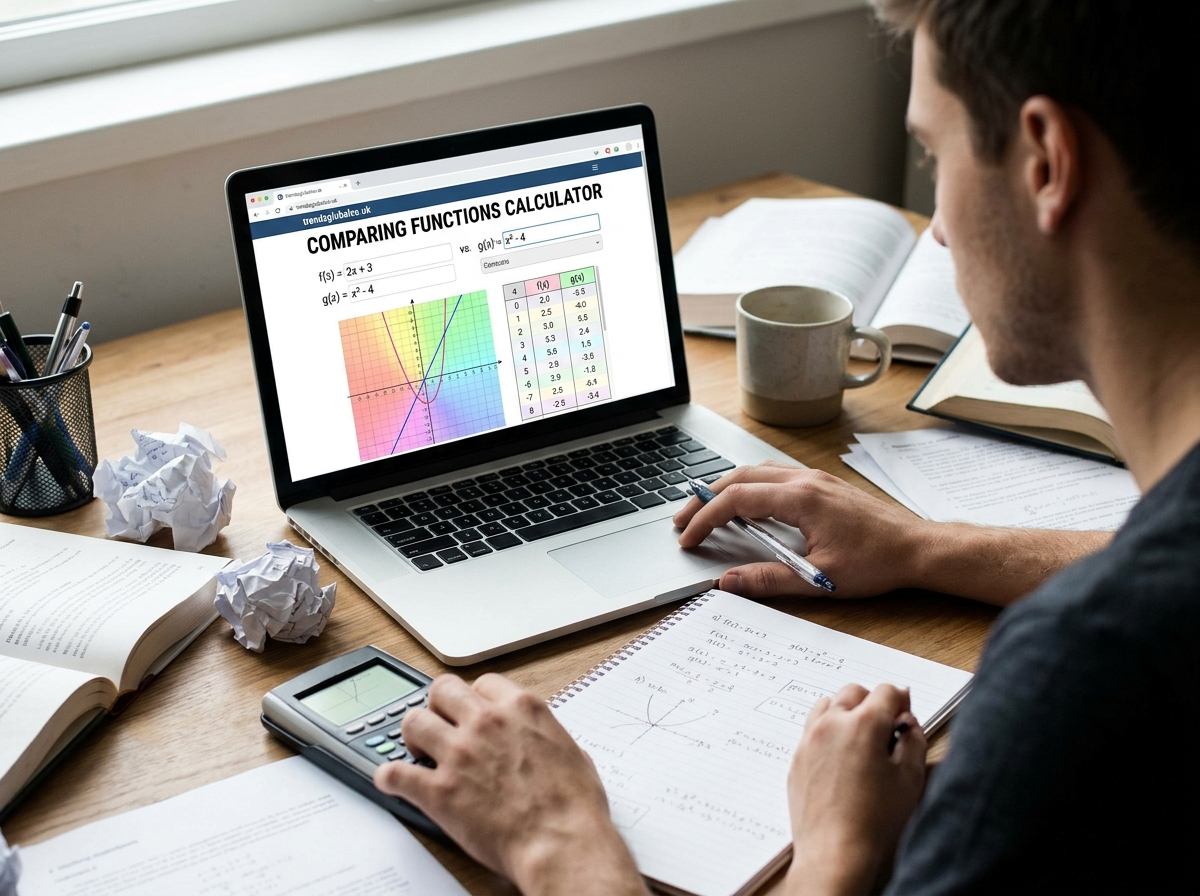
Comparing two mathematical functions helps students understand how equations behave, how their graphs differ, and how their outputs change with different input values. A comparing functions calculator makes this process easier by allowing users to enter mathematical functions and examine their differences through calculations and graphs.
Whether you are studying linear equations, quadratic functions, or exponential expressions, comparing functions can help you understand which function produces a greater value, where two graphs intersect, and how their behavior changes over a given interval.
Students often need to compare functions when solving algebra problems, studying graphs, completing homework, or preparing for mathematics exams. Instead of evaluating every expression manually, they can use a calculator to check results and understand the mathematical steps.
This guide explains what a comparing functions calculator does, how to use it, which mathematical properties you can compare, and how to understand the results.
What Is a Comparing Functions Calculator?
A comparing functions calculator is a mathematical tool that helps users examine two or more functions and identify their similarities and differences. It can help compare equations, function values, graph shapes, domains, ranges, and other mathematical properties.
A function takes an input, processes it according to a mathematical rule, and produces an output. For example, consider these two functions:
\[ f(x)=2x+3 \]
\[ g(x)=x+5 \]
Both functions are linear, but they have different slopes and y-intercepts. Comparing them helps you understand how their outputs change as the input value increases.
A comparing functions calculator can evaluate both expressions at the same input values and display their results. Some calculators also allow users to plot multiple functions on one coordinate plane, making visual differences easier to recognize.
This tool is useful for students learning algebra, teachers explaining mathematical relationships, and anyone who wants to check function comparisons without performing every calculation manually.
How Does a Comparing Functions Calculator Work?
A function comparison calculator works by processing the mathematical expressions entered by the user. It evaluates the functions, examines their outputs, and may display the results in numerical or graphical form.
The exact features depend on the calculator being used, but the general process is similar.
First, enter the mathematical expressions you want to compare. For example:
\[ f(x)=3x+2 \]
\[ g(x)=2x+4 \]
Next, choose the input values or graphing range if the calculator provides these options. The tool evaluates both functions using the selected inputs.
For example, when \(x=2\):
\[ f(2)=3(2)+2=8 \]
\[ g(2)=2(2)+4=8 \]
Both functions produce the same output when the input is 2.
When \(x=3\):
\[ f(3)=3(3)+2=11 \]
\[ g(3)=2(3)+4=10 \]
The first function produces a greater value at this input.
A calculator with graphing capabilities can also show how the two functions behave across a range of inputs. This makes it easier to identify where they intersect and where one function becomes greater than the other.
How to Use a Comparing Functions Calculator
Using a comparing functions calculator is generally straightforward. You only need the mathematical expressions you want to examine and, when required, an input range.
Follow these steps to compare two functions:
Step 1: Enter the first function
Start by entering the first mathematical expression. For example:
\[ f(x)=2x+4 \]
Make sure the expression contains the correct variables, coefficients, and mathematical signs.
Step 2: Enter the second function
Add the second expression:
\[ g(x)=x+6 \]
Both functions should use the same independent variable when you want to compare their outputs directly.
Step 3: Select the comparison method
If the calculator offers different options, choose whether you want to compare numerical values, graph behavior, or mathematical properties.
Step 4: Generate the results
Run the calculation to evaluate both functions. A graphing calculator may display both expressions on the same coordinate plane.
Step 5: Review the differences
Examine the outputs and graphs. Look for equal values, intersections, changes in growth, and intervals where one function is greater than the other.
For example, using the two functions above:
\[ 2x+4=x+6 \]
Subtract \(x\) from both sides:
\[ x+4=6 \]
Subtract 4:
\[ x=2 \]
At \(x=2\), both functions have the same output. This gives you a useful point for understanding their relationship.
What Can You Compare With a Function Calculator?
A function comparison tool can help examine several mathematical properties. Understanding these properties makes it easier to interpret equations and identify how different functions behave.
Function equations: You can examine two expressions and identify differences in their mathematical structure. For example, a linear function has a constant rate of change, while a quadratic function contains a squared variable.
Graph shapes and positions: Graphs show how functions behave visually. Comparing two graphs helps identify differences in slopes, curves, positions, and intersections.
Domain and range: The domain represents all permitted input values, while the range represents the possible output values. Comparing these properties helps determine whether two functions accept similar inputs or produce similar outputs.
Function values: You can evaluate both functions using the same input and compare their answers. This is useful when determining which function produces a greater result.
Increasing and decreasing behavior: Some functions increase as the input increases, while others decrease. Comparing their behavior helps explain how their outputs change.
Intersections and differences: Two functions may produce the same output at particular input values. These points are important when solving equations and understanding relationships between graphs.
For example, if two functions are:
\[ f(x)=x+3 \]
\[ g(x)=2x+1 \]
Their difference is:
\[ f(x)-g(x)=2-x \]
This expression helps determine which function has the greater output at different values of \(x\).
Comparing Functions Using Graphs
Graphical comparison is one of the easiest ways to understand how two mathematical functions behave. Instead of examining equations alone, you can plot them on the same coordinate plane and observe their relationship.
Consider the following functions:
\[ f(x)=x+2 \]
\[ g(x)=2x-1 \]
The first function has a slope of 1 and a y-intercept of 2. The second function has a slope of 2 and a y-intercept of -1.
Add More
246−2−4123456−1−2−3
0,0
Give feedback
Both functions produce straight lines, but their slopes and starting positions are different. The second function increases faster because its slope is greater.
To find their intersection, set the expressions equal:
\[ x+2=2x-1 \]
Rearrange the equation:
\[ 3=x \]
Substitute \(x=3\) into either function:
\[ f(3)=3+2=5 \]
The intersection point is:
\[ (3,5) \]
This means both functions produce the same output when \(x=3\). Before this point, the first function has greater values. After this point, the second function produces greater values.
Graph comparison is especially helpful when working with functions that are difficult to understand through equations alone.
Comparing Linear, Quadratic, and Exponential Functions
Different types of functions have different mathematical structures and growth patterns. Comparing them helps students understand how their outputs change as the input increases.
Linear functions
A linear function produces a straight-line graph and has a constant rate of change. Its general form is:
\[ f(x)=mx+b \]
Here, \(m\) represents the slope, while \(b\) represents the y-intercept.
For example:
\[ f(x)=2x+3 \]
This function increases by 2 whenever the input increases by 1.
Quadratic functions
A quadratic function contains a squared variable and generally produces a parabolic graph.
Its standard form is:
\[ f(x)=ax^2+bx+c \]
For example:
\[ g(x)=x^2+2 \]
Unlike a linear function, its rate of change is not constant. Its graph can open upward or downward depending on the value of \(a\).
Exponential functions
An exponential function contains a variable in its exponent. Its general form is:
\[ h(x)=a\cdot b^x \]
For example:
\[ h(x)=2^x \]
When the base is greater than 1, the function increases exponentially. When the base is between 0 and 1, it decreases as the input increases.
Comparing these three function types helps explain the differences between constant growth, curved quadratic behavior, and exponential growth or decay.
How to Compare Two Functions Mathematically
You do not always need a graph to compare two functions. Mathematical calculations can also show which function produces a greater value and where their outputs are equal.
Consider:
\[ f(x)=4x+2 \]
\[ g(x)=2x+8 \]
There are several ways to compare these functions.
Compare their values using the same input
Choose an input value, such as \(x=2\).
\[ f(2)=4(2)+2=10 \]
\[ g(2)=2(2)+8=12 \]
Therefore:
\[ g(2)>f(2) \]
The second function produces a greater output at \(x=2\).
Find where both functions are equal
Set the expressions equal:
\[ 4x+2=2x+8 \]
Subtract \(2x\) from both sides:
\[ 2x+2=8 \]
Subtract 2:
\[ 2x=6 \]
Divide by 2:
\[ x=3 \]
Now substitute this value into either function:
\[ f(3)=4(3)+2=14 \]
Both functions have the same output at \(x=3\).
Determine which function is greater
Subtract the second function from the first:
\[ f(x)-g(x) \]
\[ =(4x+2)-(2x+8) \]
\[ =2x-6 \]
When \(x<3\), the difference is negative, meaning \(f(x)<g(x)\).
When \(x>3\), the difference is positive, meaning \(f(x)>g(x)\).
This method helps compare functions over different intervals rather than checking only one input value.
Benefits of Using a Comparing Functions Calculator
A comparing functions calculator can make mathematical work easier, especially when students need to examine multiple equations or understand their graph behavior.
One major benefit is that it reduces the time needed for repeated calculations. Instead of evaluating every expression manually, users can enter functions and review their outputs through the available calculator features.
It also helps students check their work. When solving algebra problems, a small mistake in a coefficient, sign, or substitution can change the final answer. Comparing calculated results with manual solutions makes it easier to identify errors.
Graphical features provide another advantage. Students can see how two functions behave on the same coordinate plane and understand relationships that may not be immediately clear from their equations.
The calculator can also support independent learning. Students can enter different expressions, change input values, and observe how the results change. This gives them more opportunities to understand slopes, intersections, growth patterns, and mathematical relationships.
Teachers can use function comparisons when explaining algebra lessons or demonstrating how different equations represent different patterns.
However, a calculator should support mathematical understanding rather than replace it. Learning the steps behind each result is still necessary for solving problems independently.
Common Mistakes to Avoid When Comparing Functions
Comparing mathematical functions requires accurate expressions and a clear understanding of the results. Certain mistakes can lead to incorrect conclusions.
Entering incorrect equations: A missing sign, coefficient, or exponent can change the entire function. Check each expression before starting the comparison.
Confusing domain and range: The domain contains permitted input values, while the range contains possible outputs. These are different properties and should not be treated as interchangeable.
Using different input values: When comparing function outputs directly, use the same input value for both functions. Otherwise, the results may not provide a meaningful comparison.
Misreading graph scales: Two graphs may appear close or far apart depending on the coordinate scale. Always examine the axis labels and intervals before interpreting their positions.
Ignoring domain restrictions: Some functions are not defined for every real number. For example, a function containing a denominator cannot have an input that makes that denominator zero.
Assuming one function is always greater: Two functions may change their relative positions after an intersection. Check the relevant interval instead of relying on a single calculation.
Avoiding these mistakes makes function comparisons more accurate and helps students understand why their answers are correct.
Frequently Asked Questions About Comparing Functions Calculator
1. What is a comparing functions calculator used for?
A comparing functions calculator is used to examine two or more mathematical functions. It helps users compare equations, outputs, graphs, domains, ranges, and other properties to understand how the functions are related.
2. Can I compare two functions on the same graph?
Yes. A graphing calculator that supports multiple expressions can display two functions on the same coordinate plane. This allows you to compare their shapes, slopes, positions, and intersection points.
3. How do I know which function is greater?
Evaluate both functions using the same input value. Compare their outputs to determine which function is greater at that point. To compare them over an interval, solve an inequality such as \(f(x)>g(x)\).
4. Can a calculator compare linear and quadratic functions?
Yes. A calculator that supports both function types can compare their equations and graph behavior. For example, you can examine a linear function such as \(f(x)=2x+1\) alongside a quadratic function such as \(g(x)=x^2\).
5. How do I compare the domain and range of two functions?
Identify the permitted input values for each function to determine its domain. Then examine the possible outputs to determine its range. Compare the two sets to identify similarities and differences.
6. Is a comparing functions calculator useful for students?
Yes. It can help students understand algebra, evaluate expressions, compare graphs, check homework, and study how different functions behave. It is particularly useful when learning linear, quadratic, and exponential functions.
7. Can I compare functions without graphing them?
Yes. You can compare functions by evaluating them at the same input values, setting their expressions equal, or solving inequalities. Graphs are helpful but not necessary for every comparison.
Conclusion
A comparing functions calculator helps students and mathematics learners understand the relationships between different mathematical expressions. It can make it easier to compare equations, evaluate outputs, examine graph behavior, identify intersections, and understand differences in function properties.
Whether you are working with linear, quadratic, or exponential functions, comparing their mathematical behavior can improve your understanding of algebra. Use calculations to verify individual results and graphs to examine how functions behave across different input values.
