



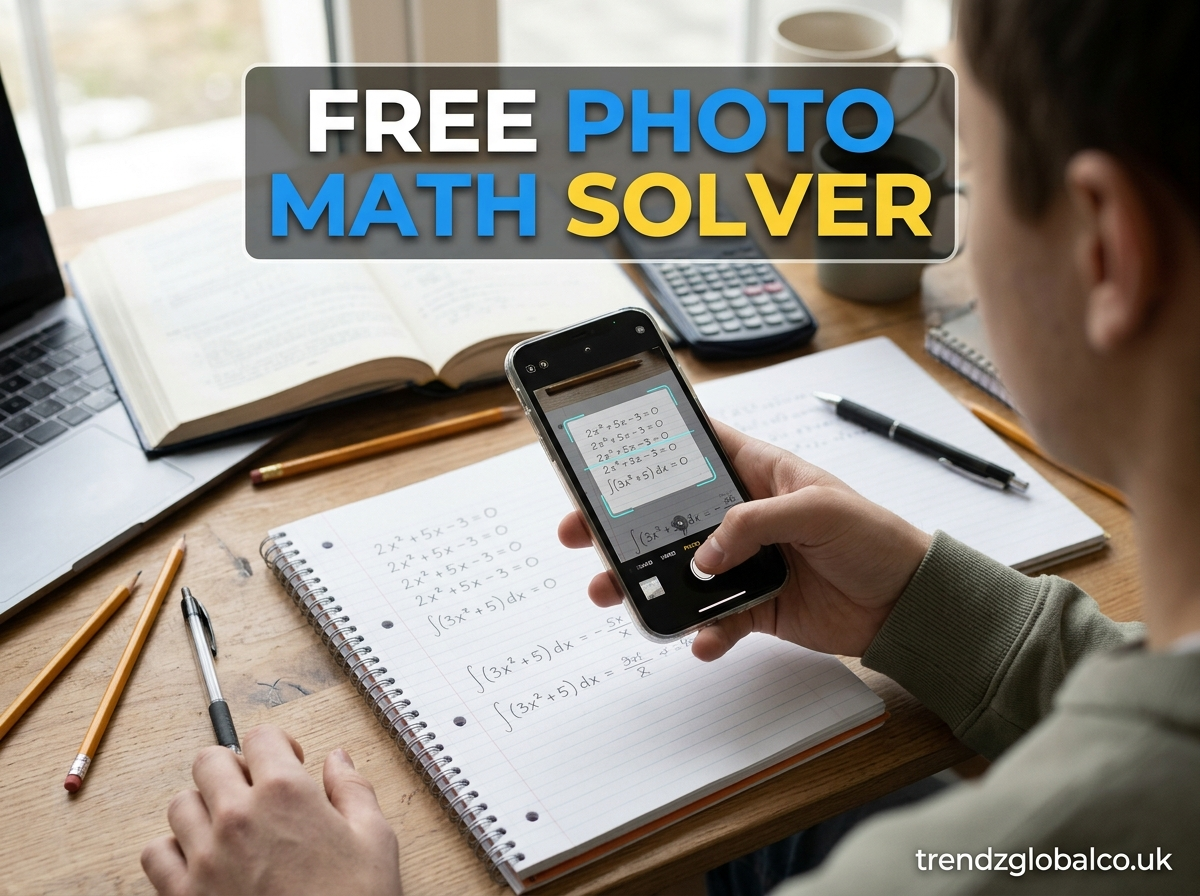
Mathematics can become difficult when you have to solve long equations, understand unfamiliar symbols, or work through multiple calculation steps. Sometimes, typing a complete equation into a calculator takes more time than solving the problem itself. A free photo math solver offers a simple way to handle these situations. You can take a picture of a math problem or upload an existing image to get an answer.
A photo math solver uses image recognition technology to identify mathematical expressions and process them. Depending on the tool, it can provide a final answer along with step-by-step explanations. This makes it useful for students working on homework, learners practicing equations, and anyone who needs help understanding a mathematical problem.
Instead of entering every number and symbol manually, you can use an image of the original question. The tool reads the problem and attempts to solve it. Understanding how these tools work, what types of questions they support, and how to get accurate results can help you use them more effectively.
What Is a Free Photo Math Solver?
A free photo math solver is an online tool or mobile application that solves mathematical problems from pictures. Users can capture an image of a question using a camera or upload a photo from their device. The tool examines the image, recognizes the mathematical expressions, and calculates the answer.
For example, if you have a printed algebra question such as 2x + 6 = 14, you can take a picture instead of typing the equation into a calculator. The tool recognizes the numbers, variables, and mathematical signs before processing the expression. It may then show that x = 4, along with the steps used to reach the result.
These tools can support different areas of mathematics, including arithmetic, algebra, fractions, percentages, geometry, and calculus. However, the available subjects depend on the particular solver. Some tools handle basic equations well, while others offer support for more advanced mathematical problems.
The main difference between a photo math solver and a standard calculator is how users enter information. A traditional calculator usually requires manual input, whereas a photo-based tool allows users to submit a picture of the question. This can save time when working with lengthy expressions or printed worksheets.
How Does a Free Photo Math Solver Work?
A free photo math solver follows several steps to turn an image into a mathematical answer. It generally combines image processing, optical character recognition (OCR), and mathematical calculation to understand the submitted question.
The first step is image recognition. When you take or upload a picture, the tool examines the image to locate numbers, mathematical symbols, variables, and other relevant information. It attempts to identify the complete expression, even when the question contains multiple lines.
After recognizing the expression, the tool converts the visible mathematical information into a format that its calculation system can understand. For example, a picture containing 5x – 10 = 20 may be converted into a readable equation. The solver then applies the appropriate mathematical rules to calculate the result.
The final stage is displaying the answer. Some tools provide only the result, while others explain each calculation step. A detailed solution can show how an equation is rearranged, which operation is performed, and how the final value is obtained.
The quality of the original image matters throughout this process. Blurry pictures, unclear handwriting, shadows, and incorrectly recognized symbols can affect the result. Reviewing the equation before accepting the answer is a useful habit.
How to Solve Math Problems Using a Photo
Solving a mathematical question with a photo-based tool is usually straightforward. You do not need to type the entire equation if the tool supports image uploads. Follow a few basic steps to submit your problem.
First, open a free photo math solver through your browser or a supported mobile application. Check whether the tool offers free image uploads and whether registration is required. Some services provide basic features without an account, while others may have usage limits.
Next, take a clear picture of the mathematical question. Keep your camera steady and make sure the complete equation is visible. If you already have a screenshot or a saved worksheet, you can upload that image instead.
Once the picture has been submitted, allow the tool to recognize the mathematical expression. Check whether it has correctly identified the numbers, signs, and variables. This step matters because a minus sign mistaken for a plus sign can completely change the answer.
After confirming the equation, select the solve option if the tool requires it. The system will process the problem and display the result. If step-by-step explanations are available, review them to understand how the answer was calculated.
For example, suppose your picture contains the equation:
\[ 3x+9=24 \]
The solver may explain the calculation as follows:
\[ 3x+9-9=24-9 \]
\[ 3x=15 \]
\[ x=5 \]
This shows that the tool can do more than provide a final number. It can also help you follow the method used to solve an equation.
What Types of Math Problems Can It Solve?
The subjects supported by a free photo math solver depend on its image recognition system and mathematical capabilities. Many tools support common school-level questions, while advanced services may handle college-level calculations.
Basic arithmetic is one of the most common uses. You can submit questions involving addition, subtraction, multiplication, division, and order of operations. These features are helpful when checking calculations or working through longer numerical expressions.
Algebra is another important area. A photo solver may recognize linear equations, variables, expressions, and polynomial problems. For example, it can process equations such as 4x + 8 = 28 and show how to isolate the unknown variable.
Fractions, decimals, and percentages are also supported by many math-solving tools. Students can use them to check fraction simplification, decimal operations, percentage calculations, and conversions between different number formats.
Some advanced tools can handle geometry and trigonometry questions. These may include angle calculations, area formulas, perimeter problems, and trigonometric expressions. However, geometry questions that depend on diagrams may require a tool that can recognize both the image and its mathematical labels.
Calculus features may include derivatives, integrals, and limits. These functions are not available in every free photo solver, so users should check the supported subjects before uploading advanced questions.
Key Features of a Free Photo Math Solver
The most useful feature of a photo math solver is its ability to recognize mathematical problems from images. Users can submit a photograph rather than manually entering every part of an equation. This makes the process convenient when working with textbooks, printed worksheets, and handwritten notes.
Step-by-step explanations are another important feature. A final answer tells you what the result is, but an explanation shows how to reach it. Students can use these steps to review mathematical rules and understand where each calculation comes from.
Image upload support also makes a difference. Some tools allow users to take pictures directly through a mobile camera, while others accept saved images and screenshots. A tool with multiple upload options is useful for people working across different devices.
Speed and ease of use are also worth considering. A simple interface should make it easy to upload a picture, review the recognized equation, and receive the solution. Unnecessary steps can make the experience frustrating, especially when solving several questions.
Before choosing a free tool, check its limitations. Some services restrict the number of daily image uploads, advanced calculations, or detailed explanations. Others may offer basic solving features for free but require payment for additional functions.
Benefits of Using a Photo Math Solver
One major benefit is that it reduces the time spent entering mathematical expressions. Typing a long equation with fractions, powers, brackets, and multiple variables can be difficult on a small screen. Uploading a picture provides a quicker way to submit the question.
Photo math solvers can also support independent learning. When a tool provides a clear explanation, students can compare the method with what they have learned in class. They can review individual steps and identify where they made a calculation mistake.
These tools are useful for homework checking as well. After solving a question independently, a student can upload the same problem to compare the result. If the answers differ, reviewing the calculation steps may help identify an incorrect operation or misunderstanding.
Another advantage is accessibility. Many online tools work through a web browser, so users may not need to install additional software. Students can access supported features from a computer, tablet, or smartphone.
A photo solver can also help with unfamiliar questions. When students encounter an equation they do not immediately understand, they can use the explanation as a reference. However, they should still practice solving similar questions without relying on the tool every time.
Free Photo Math Solver vs. Traditional Math Calculator
A photo math solver and a traditional calculator both help users perform mathematical calculations, but they work in different ways. The main difference is how information is entered and processed.
A traditional calculator requires users to enter numbers and mathematical operations manually. It is suitable for quick arithmetic, percentage calculations, and other numerical tasks. Scientific calculators also support advanced functions such as trigonometry, logarithms, and powers.
A photo math solver accepts an image of the question. It attempts to recognize the mathematical expression before calculating the result. This makes it useful when the problem is written in a textbook, worksheet, or notebook.
The two tools can also differ in how they explain answers. Basic calculators usually display a numerical result, while some photo-solving tools provide detailed working steps. This can make photo solvers more useful for students who want to understand the process.
Neither option is perfect for every situation. A traditional calculator may be faster for simple calculations, while a photo math solver may be more convenient for complex written equations. Choosing between them depends on the question and the type of assistance required.
Tips for Getting Accurate Results From a Math Photo
The quality of your picture can affect how accurately a solver recognizes the mathematical expression. Even a powerful tool may produce an incorrect result if the image is unclear. A few simple practices can reduce recognition problems.
Start by taking the picture in good lighting. Avoid dark areas, strong shadows, and reflections that hide numbers or symbols. The equation should be clearly visible from beginning to end.
Keep your camera steady when capturing handwritten or printed questions. A blurry image can make similar symbols difficult to distinguish. For example, the numbers 1 and 7 or mathematical signs such as plus and minus may be recognized incorrectly.
Make sure the complete problem appears in the image. Cutting off a bracket, exponent, fraction line, or part of an equation can change its mathematical meaning. Leave enough space around the question so that the tool can identify all its components.
If you are uploading a handwritten question, write the symbols clearly. Avoid placing numbers too close together, especially when working with powers, fractions, and variables. If the tool displays a recognized equation before solving it, compare that expression with your original question.
Finally, review the answer instead of accepting it automatically. Check whether the calculation makes sense and whether the steps follow the correct mathematical rules.
Is a Free Photo Math Solver Accurate and Safe to Use?
A free photo math solver can produce accurate results when it correctly recognizes the question and uses an appropriate calculation method. However, accuracy is not guaranteed for every image or mathematical subject.
Image quality is one of the main factors affecting recognition. Handwritten equations can be harder to process than clear printed expressions. Small symbols, unusual handwriting, and overlapping text may lead to mistakes.
The complexity of the question also matters. Basic arithmetic and standard algebra are generally easier for these tools to process than questions involving detailed diagrams or multiple mathematical conditions. Some solvers may also have limited support for advanced subjects.
Safety and privacy deserve attention when uploading images. A worksheet may contain more information than the mathematical question itself. Before submitting a picture, check that it does not include personal details, school identification information, or other private content.
Read the tool’s privacy policy to understand how uploaded images and other data are handled. Avoid services that make unclear promises about data storage or request unnecessary permissions.
For the best experience, use a photo math solver as a learning aid. Check the recognized equation, review the calculation steps, and compare the result with your own work. This approach helps you benefit from the tool while continuing to develop your mathematical skills.
Frequently Asked Questions About Free Photo Math Solver
Is there a free photo math solver online?
Yes. Several online math-solving tools offer free image-based problem solving. Depending on the service, you can upload a picture or take a photo of an equation to receive an answer. Some tools provide step-by-step explanations, although free features and usage limits vary.
Can I solve math problems by taking a picture?
Yes. A photo math solver can recognize mathematical expressions from a camera image. Take a clear picture, upload it to a supported tool, and allow the system to process the question. Review the recognized equation before checking the solution.
Does a photo math solver show step-by-step solutions?
Some photo math solvers provide detailed working steps along with the final answer. These explanations can show how an equation is rearranged, which mathematical operations are used, and how the unknown value is calculated. However, not every free tool includes this feature.
Can it solve handwritten math problems?
Many photo math solvers support handwritten equations, but recognition quality depends on handwriting clarity and the tool’s capabilities. Clear numbers, properly spaced symbols, and good lighting can improve the results. Complicated handwriting may still require manual correction.
What types of equations can I upload?
Supported equations may include arithmetic expressions, linear equations, quadratic equations, fractions, percentages, and polynomials. Some advanced tools also support geometry, trigonometry, and calculus. Check the tool’s supported subjects before submitting a complex question.
Can I use a photo math solver without downloading an app?
Yes. Some photo math solvers work directly through a web browser. You can open the website, upload an image from your device, and receive a solution without installing a mobile application. Availability depends on the service.
Are free photo math solvers accurate?
They can be accurate when the image is clear and the mathematical expression is recognized correctly. However, errors can occur with blurry pictures, unclear handwriting, or complicated symbols. Always check the recognized equation and review the solution steps.
Conclusion
A free photo math solver provides a convenient way to solve mathematical problems using pictures instead of manually entering complete equations. It can recognize mathematical expressions, process different types of questions, and provide answers with explanations when supported.
Students can use these tools to check homework, review calculation methods, and understand difficult equations. Features such as image recognition, step-by-step solutions, and browser access make them useful for different learning situations.
