



Free AI Math Solver Online: Solve Math Problems with Steps for Free
Quick answer: A free ai math solver is an online tool that uses artificial intelligence to solve a maths problem you type, photograph, or paste — and then explains the answer step by step, usually without any payment or sign-up. It works for algebra, fractions, equations, geometry, calculus, and word problems, which makes it useful for homework, revision, and checking your own working.
Almost every student has been there: it is late, a homework question will not make sense, and the textbook example looks nothing like the problem in front of you. In the past, you would have waited until the next lesson. Today, an online math solver can show you a worked solution in seconds — not just the final answer, but the method behind it. That method is the important part, because it is what helps you solve the next question on your own.
This guide explains what these tools are, how they work, how to use one correctly, what they can and cannot do, and how a free AI solver compares with options such as the google math solver features in Search and Lens and photo-based apps. The angle here is specifically free AI tools — what you get at no cost, and where the limits of a free version usually appear.
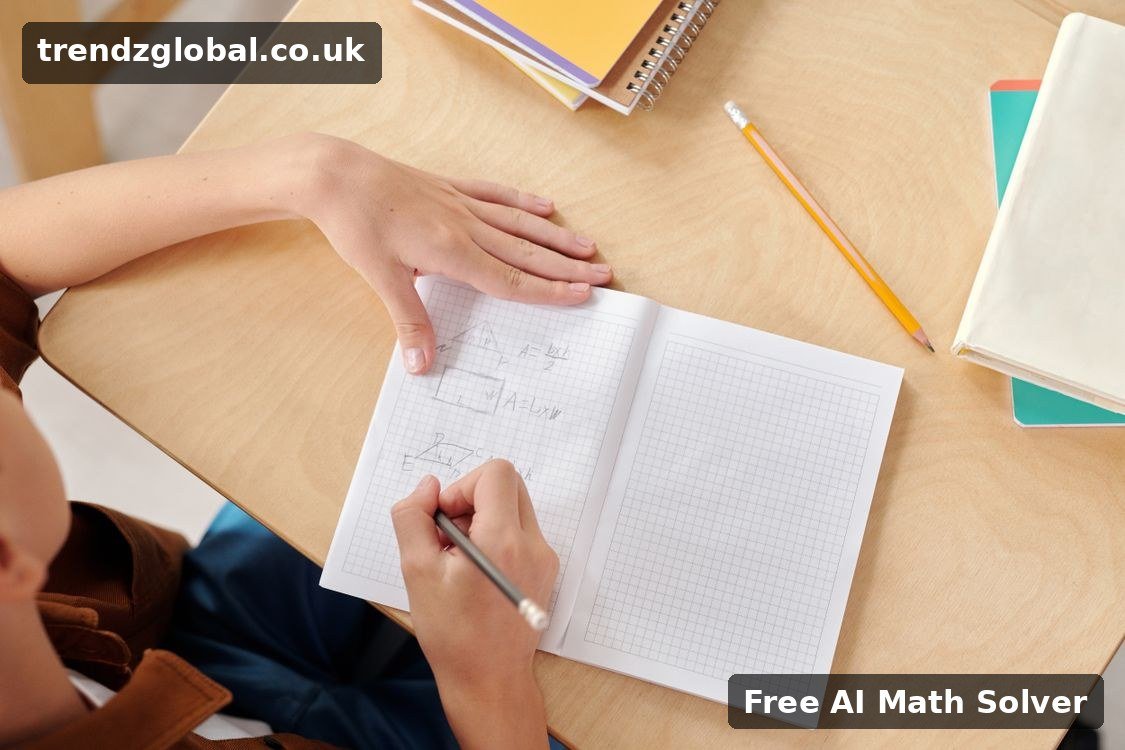
What Is a Free AI Math Solver? (Quick Answer)
A free AI math solver is a website or app that combines a maths engine — software that follows the rules of algebra, arithmetic, and calculus — with artificial intelligence that can understand questions written in different ways. You can usually enter a problem in three ways:
- Typing an equation, expression, or word problem
- Scanning or uploading a photo of a handwritten or printed question
- Speaking or pasting a question copied from a worksheet or document
The tool then returns a math solver with solution — a final answer plus the intermediate steps. That is the main difference between a basic calculator and a modern maths solver ai tool: a calculator gives you a number, while an AI solver tries to show you how that number was reached, using methods such as factorising, substituting, simplifying, or differentiating.
If you want a broader introduction to solving problems online first, our general guide to a math solver and how to solve math problems online covers the basics. This article goes deeper on the free, AI-powered options.
How Does a Free AI Math Solver Work?
Most tools follow the same four stages behind the scenes:
- Input recognition. If you upload a photo, image-recognition software reads the numbers, symbols, fractions, and exponents. If you type, the tool parses your text into a mathematical expression.
- Understanding the question. The AI identifies what type of problem it is — for example, a linear equation, a quadratic equation, an integral, or a percentage word problem — and what is being asked.
- Solving. A symbolic maths engine applies the correct rules in order, keeping a record of each transformation so it can display the working.
- Explaining. A language model turns those steps into plain English, sometimes with graphs, definitions, or a check that substitutes the answer back into the original question.
This combination is why an ai maths solver can often handle a word problem — “A train travels 120 miles in 2.5 hours; what is its average speed?” — that a normal calculator cannot interpret at all. The AI first translates the words into maths (120 ÷ 2.5), and only then calculates.
How to Use a Free AI Math Solver: Step by Step
You do not need an account to try most free tools. Follow these steps to solve math questions accurately:
- Open a trusted solver in your browser. Choose a site that shows step-by-step working, not only a final answer.
- Choose the topic, if asked. Selecting algebra, calculus, or statistics helps the tool use the right method.
- Enter the problem exactly as written. Use brackets where they matter: 3(x + 4) is not the same as 3x + 4. For a photo, place the question flat, in good light, with one problem per image.
- Tap Solve and wait for the full solution. Do not stop at the answer line.
- Read each step and ask “why?” If a step factorises, expands, or cancels, make sure you could explain that move yourself.
- Try a similar question without help. This is the step that turns a quick answer into actual learning.
- Check the result. Substitute the answer back into the original equation, or estimate whether the size of the answer makes sense.
Example: Solve 2x + 6 = 14. A good solver shows: subtract 6 from both sides (2x = 8), then divide both sides by 2 (x = 4) — and a check confirms 2 × 4 + 6 = 14. If a topic-specific tool would help more, a dedicated quadratic equation solver for equations in the form ax² + bx + c = 0 focuses only on that method.
What Types of Problems Can an AI Maths Solver Solve?
Coverage varies by tool, but a capable maths question solver usually handles most school and early university topics:
- Basic maths: addition, subtraction, multiplication, division, fractions, decimals, percentages, ratios
- Algebra: simplifying expressions, linear and simultaneous equations, inequalities, exponents, logarithms
- Geometry: area, perimeter, volume, angles, Pythagoras’ theorem, coordinate geometry
- Trigonometry: sin, cos, tan, identities, and triangle problems
- Calculus: limits, derivatives, integrals, and basic differential equations
- Statistics and probability: mean, median, mode, standard deviation, probability
- Word problems: speed, distance, money, mixtures, and age problems written in plain language
Algebra and Quadratic Equations
Algebra is where most students use a solver first, because one sign error can spoil an otherwise correct method. Use the step view to compare your working line by line, rather than copying the result. For calculus topics, a specialist integral solver that explains integration step by step can be clearer than a general tool when you are practising a single technique.
Calculus, Geometry, Trigonometry and Statistics
For subjects with diagrams, type the given measurements carefully and state what you need to find — for example, “Find the hypotenuse” rather than pasting numbers alone. In statistics, include the full data set. The more complete the question, the less the AI has to guess, and the more reliable the explanation will be.

Free AI Math Solver vs Google Math Solver vs Photomath
These three options solve similar problems in different ways, so the best choice depends on how you prefer to ask the question:
| Feature | Free AI Math Solver (web) | Google Math Solver (Search / Lens) | Photomath-style apps |
|---|---|---|---|
| Main input | Typing, pasting, photo upload | Typing in Search, or a photo in Lens | Camera scan of printed or handwritten maths |
| Step-by-step solution | Usually yes, in the free version | Often a short solution or similar examples | Yes; some detailed explanations may be paid |
| Word problems | Usually strong, because of the language AI | Limited; works best with clear equations | Varies by question type |
| Best for | Understanding a method on any device | A very quick check without opening another site | Scanning a worksheet quickly on a phone |
| Cost | Free tier; advanced features may be limited | Free | Free core features, with optional paid plans |
In short: use Google when you need a fast answer to a simple equation, a photo app when the question is on paper, and a dedicated AI solver when you need a full explanation. If scanning is your main need, see our guide to a free photo math solver that solves problems from a picture, and our overview of Photomath and how photo-based solving works for a closer look at that approach.
Benefits of Using an Online Math Solver
- Instant help, any time. You are not stuck until the next lesson — useful the night before a test or deadline.
- Step-by-step learning. A math solver with steps shows the method, so you can find the exact line where your own working went wrong. For that style of working in more depth, try a math calculator with steps that shows every stage of the calculation.
- Confidence to practise. Checking answers as you go makes it easier to attempt more questions instead of avoiding hard ones.
- Free to start. An ai math solver free tier is normally enough for everyday homework, revision, and answer-checking, with no card details required.
- Accessible on any device. Most web tools work on a phone, tablet, Chromebook, or laptop with nothing to install.
- Helpful for parents and teachers too. Parents can follow the same method a school is teaching, and teachers can generate worked examples quickly.

Limitations You Should Know About
A free AI solver is a study aid, not a guarantee. Keep these limits in mind:
- It can misread photos. A blurry image, messy handwriting, or a symbol that looks like another one (for example, 1 and l, or 5 and S) can change the question.
- It can occasionally be wrong. Unusual, very advanced, or badly worded questions are more likely to produce an incorrect step. Always sanity-check important answers.
- Free versions have caps. Some tools limit daily questions, photo scans, or the depth of explanations, and reserve tutoring features for paid plans.
- It will not learn for you. Copying answers without reading the steps may finish homework, but it will not help in an exam where the tool is not available.
- School rules still apply. Use solvers for practice and understanding unless your teacher has said you may use them for a specific assignment.
Tips to Get More Accurate Answers Every Time
- Enter one problem at a time. Multiple questions in a single photo or paste often get merged or partly ignored.
- Use brackets and clear symbols. Write fractions as (a + b) / c if the layout is ambiguous.
- Add context. “Solve for x” or “Simplify” tells the solver what outcome you actually want.
- Photograph in good light, flat and straight. Avoid shadows, glare, and angled pages.
- Compare two methods. If a result looks odd, re-enter the question by typing it — typed input removes photo-reading errors.
- Keep your own working. Write the steps in your notebook in your own words; that repetition is what makes the method stick.
People search for these tools in many different ways — some type a full phrase, others just write “solver math” and the topic they are stuck on. However you find one, the quality check is the same: does it explain the solution clearly enough that you could repeat the method alone?

Who Should Use a Maths Question Solver?
- School students checking homework and preparing for GCSE, A-level, or equivalent exams
- College and university students revising algebra, calculus, and statistics methods
- Parents supporting children when teaching methods have changed since they were at school
- Adult learners returning to maths for work, entrance tests, or a new course
- Teachers and tutors who need quick worked examples or alternative explanations
Frequently Asked Questions
Is there really an ai math solver free to use without signing up?
Yes. Many web-based solvers let you type or paste a problem and view a step-by-step solution without an account. Free tiers may limit how many questions you can ask per day or reserve extra explanations for paid plans, but everyday homework questions are usually covered for free.
Can a free ai math solver solve a question from a photo?
Yes, most modern tools accept a photo upload, and phone apps can scan directly with the camera. For the best result, photograph one clear, flat, well-lit question at a time and check that the solver has read every number and symbol correctly before trusting the solution.
What is the difference between an AI solver and a normal calculator?
A calculator performs arithmetic and returns a number. An AI solver interprets the whole question — including equations and word problems — chooses a method, and explains each step, which is why it is better for learning and for finding where your own working went wrong.
Is a free AI solver better than the google math solver?
Neither is better for every task. Google is faster for a simple equation you want to check instantly, while a dedicated AI solver usually gives a fuller explanation, handles word problems better, and lets you follow a complete method — which is more helpful for study.
Can an ai maths solver help with calculus and algebra, or only basic maths?
Most capable tools cover far more than basic maths, including algebra, quadratic equations, trigonometry, statistics, and calculus topics such as derivatives and integrals. Very advanced or research-level problems may still need a textbook, teacher, or specialist software.
Should I rely on a solver for my homework?
Use it to understand and check your work, not to replace it. Read the steps, close the solver, and try a similar question yourself. That approach improves exam performance, while copying answers alone does not — and your school may have its own rules about AI tools for assessed work.
Conclusion
A free ai math solver is one of the most practical study tools available today: it is fast, it explains its working, and the free tier is enough for most homework and revision. Used well — reading the steps, checking the answer, and then practising a similar question unaided — an online math solver does more than finish tonight’s homework; it builds the understanding you need when no tool is available. Start with one question you are genuinely stuck on, follow the method carefully, and try the next one yourself. That small habit is the difference between copying answers and actually learning maths.
