



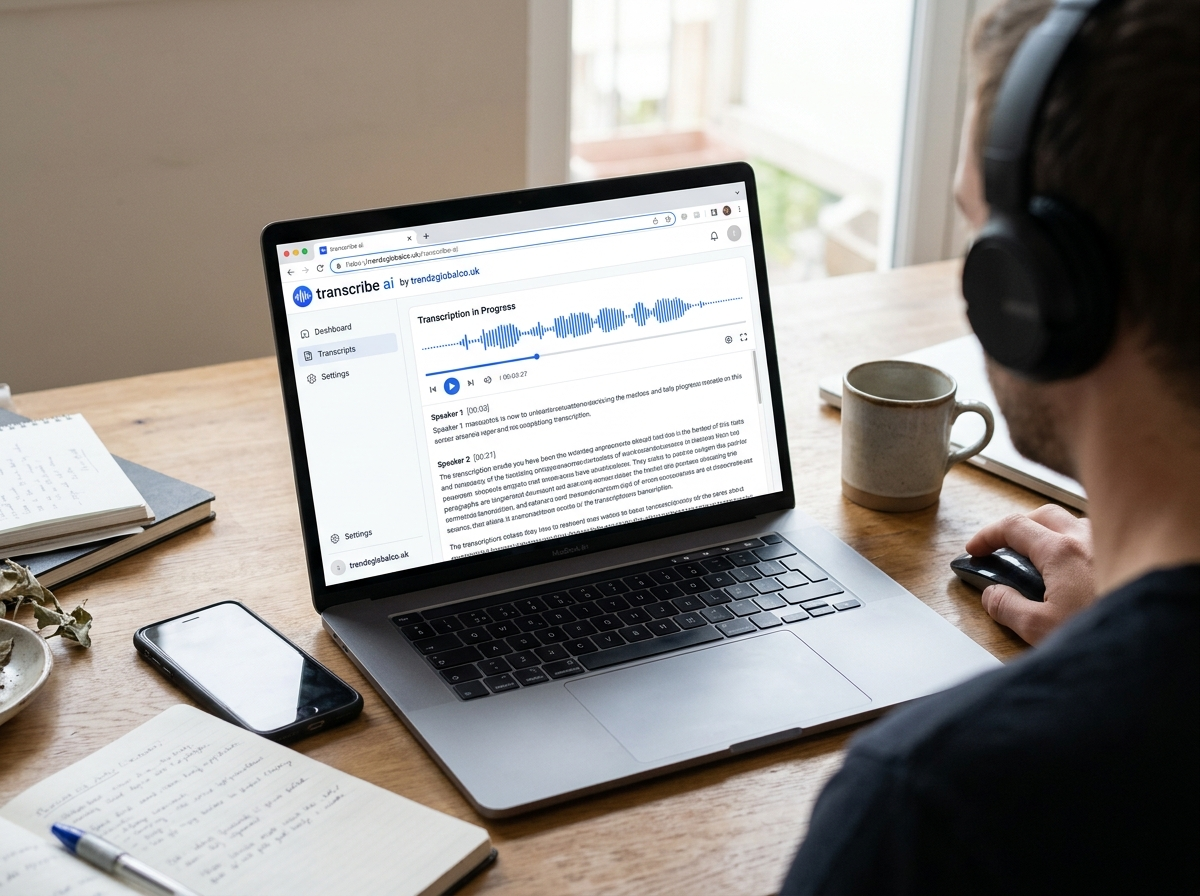
Transcribe AI refers to the use of artificial intelligence to convert spoken words from audio or video into written text. It helps users turn voice recordings, meetings, interviews, lectures, podcasts, and other spoken content into readable transcripts without typing every word manually.
AI transcription tools can process recordings in minutes, depending on the file length, audio quality, and service being used. Many tools also offer features such as speaker identification, timestamps, subtitles, and text summaries. These features make transcription useful for students, professionals, content creators, researchers, and businesses.
Whether you need to ai transcribe a meeting, prepare study notes, or turn a recorded interview into a written document, an AI transcription tool can make the process easier. The right tool depends on your language, accuracy requirements, budget, and privacy needs.
What Is Transcribe AI?
Transcribe AI is a technology that uses artificial intelligence to convert speech into written text. It relies on automatic speech recognition (ASR) to identify spoken words and produce a text version of the recording. Some tools also use language-processing technology to improve readability, identify speakers, and organize the transcript.
For example, a student can upload a recorded lecture and receive a written version to review before an exam. A business professional can transcribe a meeting to keep a record of decisions, while a content creator can turn a podcast into a blog draft or social media captions.
AI transcription differs from traditional manual transcription because software handles most of the initial work. However, the results are not always perfect. Unclear pronunciation, background noise, technical terms, and overlapping conversations can cause mistakes. Reviewing the final transcript is still a good practice, especially when accuracy matters.
How Does an AI Transcription Tool Work?
An AI transcription tool analyzes the audio signal in a recording and identifies the words being spoken. Modern speech recognition systems are trained on large amounts of speech data, allowing them to recognize different words, speaking patterns, and accents. The exact process varies by service, but most tools follow a similar workflow.
First, the user uploads an audio or video file or records speech directly through the tool. The software processes the sound and generates a written transcript. Some platforms allow users to select the language, identify different speakers, or add timestamps to show when specific words were spoken.
After the transcript is generated, users can review the text, correct errors, and export it in a supported format. Certain tools also provide summaries, meeting notes, or subtitle files. These additional features depend on the platform and may require a paid subscription.
What Can You Transcribe With AI?
AI transcription works with many types of spoken content, making it useful for both personal and professional tasks.
Audio Recordings
Voice notes, interviews, recorded conversations, and personal recordings can be converted into text. This is helpful when you need to find a particular detail without listening to the entire recording again. Journalists, researchers, and students can use transcripts to organize information and review important statements.
Meetings and Interviews
Businesses can use AI transcription to create written records of meetings, presentations, and interviews. A transcript helps team members review decisions, identify assigned tasks, and check what was discussed. Speaker identification can make conversations easier to follow, although users should verify speaker labels before relying on them.
YouTube Videos and Podcasts
Content creators can use transcription tools to turn spoken video or podcast content into text. A transcript can serve as a starting point for articles, video captions, show notes, and social media posts. Some tools accept video links, while others require users to upload a supported file or use an existing caption file.
Lectures and Voice Notes
Students can convert recorded lessons into text for revision and research. Written transcripts make it easier to search for definitions, review explanations, and organize class notes. Users should check their school’s recording policies and obtain permission when required before recording a lecture.
How to Transcribe Audio to Text With AI
Converting audio into text usually requires only a few steps. The exact process depends on the transcription service, but the general method is similar across many platforms.
Step 1: Choose an AI transcription tool. Select a service that supports your audio format, language, and recording length. If you need speaker labels or timestamps, check whether those features are available.
Step 2: Upload your recording. Choose the audio or video file you want to transcribe. Common supported formats may include MP3, WAV, M4A, MP4, and other formats, depending on the service.
Step 3: Select the language. If the tool asks you to choose a language, select the language spoken in the recording. Some services detect languages automatically, but manual selection may help when automatic detection is unavailable or unreliable.
Step 4: Generate the transcript. Start the transcription process and wait for the software to process the file. Processing time depends on the recording’s length, audio quality, and the tool’s capabilities.
Step 5: Review and edit the text. Check names, numbers, technical terms, punctuation, and sentences that may have been misheard. Pay special attention to sections with background noise or multiple speakers.
Step 6: Export your transcript. Copy the text or download it in a supported format. Depending on the tool, you may be able to export a plain text document, a Word file, subtitles, or a timestamped transcript.
What Are the Main Features of Transcribe AI Tools?
AI transcription platforms offer different features, so it is worth checking what each service includes before choosing one.
Automatic speech-to-text conversion is the main feature. It turns spoken content into text without requiring users to type the entire recording. Many services support several languages, although the available languages and transcription quality differ from one platform to another.
Speaker identification, also known as speaker diarization, attempts to separate a conversation by speaker. This can be helpful for interviews, discussions, and meetings. Timestamps are another useful feature because they connect sections of the transcript to specific moments in the recording.
Some platforms include AI-generated summaries, searchable transcripts, subtitle creation, and text editing tools. These features can help users review long recordings and locate relevant information. Export options also matter because they determine how easily you can move the transcript into a document, presentation, or video-editing workflow.
Not every service includes all these features in its free plan. Check the current feature list and pricing before uploading a large recording or relying on a specific function.
Is AI Transcription Accurate?
AI transcription can produce useful results, but its accuracy depends on several factors. Clear recordings with one speaker and little background noise are generally easier to transcribe than conversations with overlapping voices, strong accents, or poor sound quality.
The language being spoken also matters. A tool may perform well in a widely supported language but struggle with regional dialects, uncommon languages, code-switching, or specialized vocabulary. Names, abbreviations, numbers, and industry-specific terms may require manual correction.
You can improve transcription quality by recording in a quiet environment, placing the microphone close to the speaker, and avoiding interruptions where possible. Use a suitable audio format and select the correct language when the tool provides that option.
Always review the transcript before publishing it or using it for important decisions. For legal, medical, academic, or business records, verify important statements against the original recording. AI-generated text should not be treated as a guaranteed word-for-word record.
What Are the Benefits of Using AI to Transcribe Audio?
One major benefit of AI transcription is time savings. Typing a long recording manually can take considerable effort, while an AI tool can generate an initial transcript automatically. Users can then spend their time checking and organizing the text instead of starting from a blank page.
Transcripts also make spoken information easier to search. Rather than listening to an entire recording to find one statement, users can search the written text for a name, phrase, or topic. This is especially useful for interviews, lectures, research recordings, and long meetings.
AI transcription can also support accessibility and content creation. People who prefer reading may find written transcripts easier to review than audio alone. Video creators can use transcripts as a starting point for subtitles, while writers can turn recorded ideas into articles or notes.
For teams, transcripts can provide a shared reference after a meeting. However, users should confirm important details, especially names, deadlines, assigned tasks, and decisions. The quality of the final document still depends on the recording and the review process.
Is Transcribe AI Free to Use?
Some AI transcription tools offer free plans, free trials, or a limited amount of transcription time. These options can be enough for short voice notes, occasional interviews, or a small number of recordings. However, free access does not always include every feature.
Common restrictions include monthly transcription-minute limits, maximum file lengths, file-size caps, fewer export options, or limited access to speaker identification and AI summaries. Some services may also restrict the number of files users can process within a certain period.
Paid plans often provide higher usage limits or additional features, but the available options vary. Before subscribing, check whether the service charges by the minute, offers a monthly plan, or uses another pricing model.
If you only need to transcribe a short recording occasionally, a free option may be sufficient. For regular business meetings, research interviews, or long recordings, compare the total cost, accuracy, privacy terms, and usage limits before paying.
How to Choose the Best AI Transcription Tool
The best AI transcription tool depends on how you plan to use it. Start by checking language support and transcription quality. If you regularly work with a particular accent, dialect, or technical vocabulary, test the tool with a short sample before processing important recordings.
Next, review file limits and supported formats. A service that accepts your existing audio files can save time. If you need transcripts from online videos, check whether the tool supports links or requires a downloaded file. Make sure you have the right to upload and process the content.
Consider the features you actually need. Students may prefer searchable text and simple exports, while businesses may need speaker labels, timestamps, and meeting summaries. Content creators may benefit from subtitle exports and support for video files.
Pricing should also match your expected use. Compare free-minute allowances, subscription limits, and extra charges. Finally, read the privacy policy to understand how the service stores recordings, handles transcripts, and uses uploaded data. If your recordings contain sensitive information, choose a service with privacy protections that meet your requirements.
Is It Safe to Upload Audio to an AI Transcription Tool?
The safety of an AI transcription service depends on its security practices, privacy policy, and the type of information in your recording. Some recordings contain personal details, business discussions, customer information, or confidential interviews, so users should check how the service handles their files.
Before uploading audio, review whether the provider stores recordings, how long it retains them, whether users can delete files, and whether uploaded content may be used to train AI models. Check for access controls and encryption information when dealing with sensitive material. Do not assume every tool follows the same practices.
You should also consider consent. Depending on your location and the circumstances, recording or transcribing a conversation may require permission from one or more participants. Workplace, educational, and professional settings may have additional rules.
For confidential recordings, use an approved service and follow your organization’s data-handling policies. Avoid uploading sensitive files to unfamiliar platforms simply because they offer free transcription. A convenient tool is not necessarily suitable for every type of recording.
Frequently Asked Questions About Transcribe AI
What is Transcribe AI used for?
Transcribe AI is used to convert spoken words from recordings or live speech into written text. Common uses include transcribing meetings, interviews, lectures, podcasts, voice notes, and videos. Depending on the tool, users may also generate subtitles, summaries, and searchable notes.
Can AI transcribe audio into text automatically?
Yes. Most AI transcription tools can process a supported recording and produce a written transcript automatically. Users generally upload the file, select a language if needed, and start transcription. The result should be reviewed because the software may misinterpret unclear speech, names, numbers, or overlapping conversations.
What is the best AI tool for transcription?
There is no single best tool for every user. The right choice depends on language support, accuracy, recording length, price, privacy, and features such as speaker identification or subtitle export. Testing a short sample of your own recording is a practical way to compare services.
Can I transcribe audio for free with AI?
Yes. Some services offer free transcription minutes or limited free plans. Restrictions may apply to recording length, monthly usage, file uploads, or advanced features. Check the current terms before using a free service for a large project.
Can AI transcribe a YouTube video?
Yes, many tools can help transcribe YouTube content, but their methods differ. Some accept a video link, while others require an audio or video file or an available caption file. Check the tool’s supported workflow and respect the creator’s rights and applicable download or reuse rules.
Does AI transcription support different languages?
Many tools support multiple languages, but language availability and accuracy vary. Some handle multilingual conversations or automatic language detection, while others require users to select one language. Test the service with a short recording if your content includes regional accents or more than one language.
Can AI transcription identify different speakers?
Some tools can identify changes between speakers through a feature called speaker diarization. The transcript may label different voices as Speaker 1, Speaker 2, and so on. These labels can be incorrect when speakers interrupt each other or have similar voices, so review them before sharing the transcript.
Is AI transcription better than manual transcription?
AI transcription is usually faster for producing an initial transcript and can reduce the amount of manual typing required. Human transcription or careful human review may be better when recordings are unclear or exact wording is critical. The best approach depends on the required accuracy, time, cost, and complexity of the audio.
Conclusion
Transcribe AI makes it easier to turn audio and video into written text for studying, business communication, research, interviews, and content creation. Many tools can generate transcripts automatically and offer features such as speaker identification, timestamps, summaries, and subtitle exports.
The right service depends on your recording type, preferred language, budget, and privacy requirements. Before choosing a tool, check its features and usage limits, test its transcription quality, and review the final text for errors. With the right workflow, AI transcription can help you work with spoken information more quickly while keeping the final transcript clear and reliable.
