



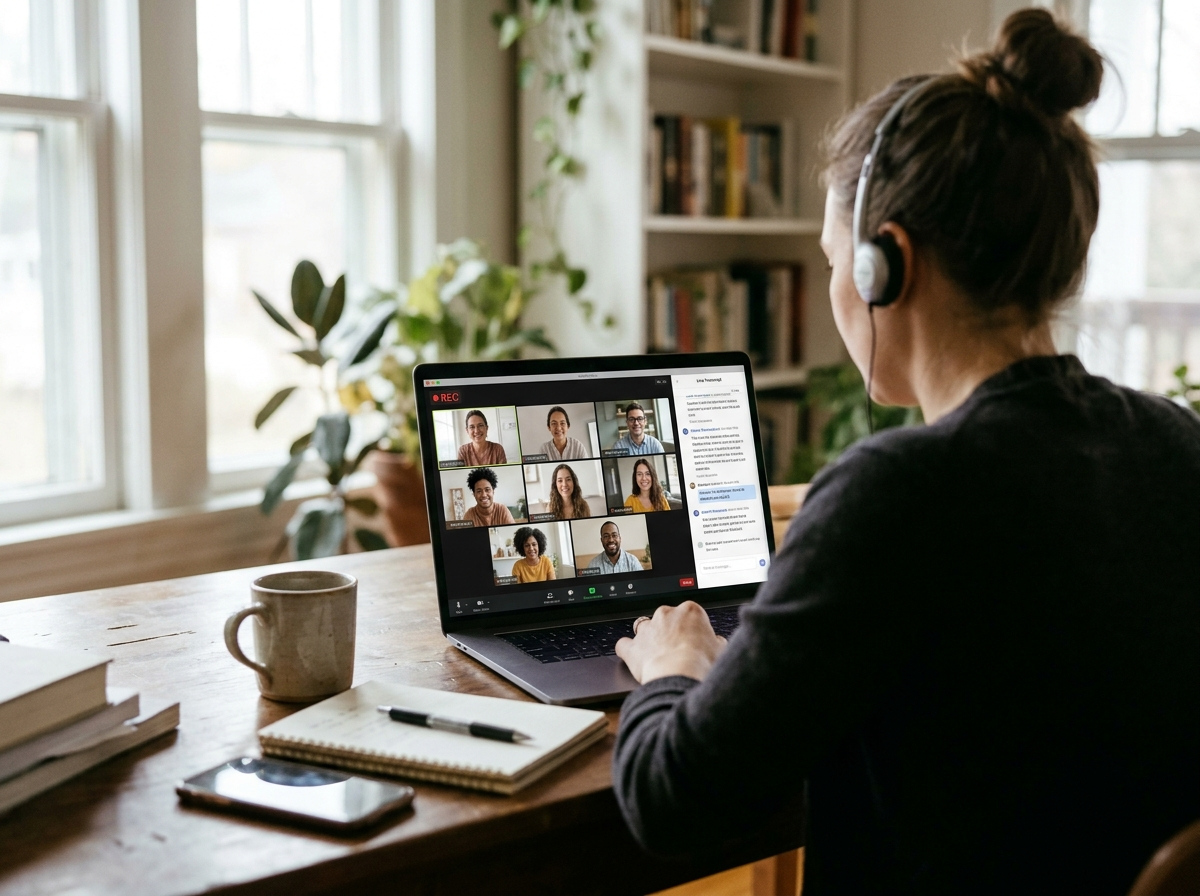
The purpose of recording a meeting is to preserve important discussions, decisions, instructions, and ideas so participants can review them later. Meeting recordings help businesses, students, and remote teams remember details, share information, prepare accurate notes, and follow up on assigned tasks.
Instead of relying only on memory, people can return to a recording to check what was discussed and what needs to happen next. When used responsibly, meeting recordings can improve communication, support training, and provide a useful reference for future work. Purpose of Recording
What Is the Purpose of Recording a Meeting?
Recording a meeting means saving its audio or video so the discussion can be reviewed after the session ends. Depending on the recording method, it may capture speakers, presentations, screen sharing, questions, and other relevant details.
The main purpose is to create a reliable reference of the conversation. Participants can check important statements, review instructions, and confirm decisions without asking everyone to repeat the discussion. This is particularly useful when a meeting covers complex subjects or several tasks.
Meeting recordings also help people who could not attend. Instead of depending entirely on someone else’s notes, an absent team member can review the discussion and understand the context behind important decisions.Purpose of Recording
Why Do People Record Meetings?
People record meetings for several practical reasons. One of the most common is to avoid forgetting important information. A discussion may include deadlines, project requirements, customer feedback, or technical instructions that are difficult to remember in full.
Another reason is to maintain a record of decisions and responsibilities. For example, a project manager might record a planning meeting to confirm which team member agreed to complete a particular task. The recording can help clarify the discussion if questions arise later.
Recording is also useful for education and training. Students can revisit lessons, while employees can review demonstrations and workplace instructions. In remote teams, recordings allow colleagues in different time zones to catch up without requiring another meeting.
What Are the Main Benefits of Recording a Meeting?
Meeting recording offers several benefits when the information is relevant and stored appropriately.
Better information retention: Participants can listen again to important explanations and check details they may have missed. This is especially helpful during technical discussions, interviews, and training sessions.
Accurate documentation: A recording provides a source for preparing meeting minutes and summaries. It helps reduce errors that can occur when someone relies only on memory or hurried notes.
Improved accountability: Teams can use recordings to review agreed tasks, deadlines, and decisions. Written action items should still be prepared so everyone knows what they are responsible for completing.
Easier knowledge sharing: Recordings allow authorized colleagues to access information without requiring the original speaker to explain everything again. This can save time during onboarding and internal training.
Support for absent participants: Employees who miss a meeting because of scheduling conflicts or other commitments can review the relevant material later.
These benefits depend on recording meetings for a clear reason. Recording every conversation without considering its value can create unnecessary files and privacy concerns.Purpose of Recording
How Does Meeting Recording Improve Productivity?
Meeting recording can improve productivity by reducing repeated explanations and making information easier to review. Instead of arranging another meeting to clarify a technical instruction, a team member may be able to find the relevant section in the original recording.
It can also help employees concentrate on the discussion. When participants know that an approved recording is available, they may spend less time trying to write down every sentence. They can focus on asking questions, sharing ideas, and understanding the subject.
Recordings become more useful when combined with transcripts, summaries, and task lists. A transcript makes spoken information searchable, while a summary highlights the main decisions. An action list identifies responsibilities and deadlines.
However, recording alone does not guarantee greater productivity. Long recordings can take time to review, and unnecessary meetings remain unnecessary even when they are saved. A clear agenda and a useful post-meeting summary help teams get more value from the process.
When Should You Record a Meeting?
The decision to record should depend on the meeting’s purpose, the value of preserving its content, and whether recording is permitted.
Project planning meetings are useful candidates because they often involve deadlines, responsibilities, and changes to work plans. A recording can help team members confirm the reasoning behind a decision and review requirements later.
Client meetings and presentations may also benefit from recording when participants need an accurate reference for product details, project expectations, or agreed next steps. Permission is particularly important when confidential business information or customer data is discussed.
Training sessions, educational lectures, and software demonstrations are other common examples. Learners can review difficult sections at their own pace instead of asking the instructor to repeat the entire lesson.
Not every meeting needs to be recorded. Informal conversations, sensitive personnel discussions, and meetings involving confidential information may require different handling or may be unsuitable for recording. Always consider participant consent, organizational policy, and applicable law before starting.
How Are Meeting Recordings Used After a Meeting?
A recording is most useful when it supports a specific task after the meeting has ended. Simply saving a file without organizing or reviewing it may offer little practical value.
One common use is preparing meeting minutes. A person can review the recording to confirm the main topics, decisions, unresolved questions, and next steps. The minutes should present the important information clearly rather than reproduce the entire conversation.
Recordings can also support follow-up communication. A team leader might use them to prepare an email summarizing decisions and reminding participants about their responsibilities. This helps ensure that everyone has the same understanding of what happens next.
Businesses may use approved recordings for staff training, quality reviews, or project documentation. Transcripts can make it easier to locate a particular statement without replaying the whole meeting. When using recordings for these purposes, organizations should limit access to authorized people and follow their retention policies.Purpose of Recording
What Is the Difference Between Meeting Recording and Meeting Notes?
Meeting recordings and meeting notes serve related but different purposes. A recording preserves the conversation in audio or video form, while notes summarize the information people need to remember or act on.
A recording can capture explanations, questions, and context that might not appear in written notes. It is useful when exact wording or a detailed discussion may need to be checked later. However, reviewing a full recording can take considerable time.
Meeting notes are shorter and easier to scan. They usually contain the main topics, decisions, assigned tasks, and deadlines. A well-written set of notes helps participants understand the outcome without watching or listening to the entire meeting again.
For many teams, the best approach is to use both. Record the meeting when appropriate, then prepare concise notes or a summary. The recording serves as a reference, while the notes provide a practical guide to the work that follows.
Is It Legal to Record a Meeting?
The legality of meeting recording depends on the laws that apply to the people and organizations involved, the type of meeting, and how the recording will be used. Some jurisdictions allow recording under certain conditions, while others require consent from all participants or impose additional restrictions.
Before recording, explain the reason for doing so and notify everyone involved. Obtain any consent required by applicable law and follow workplace policies. For online meetings, use the platform’s recording notification and permission features where appropriate.
Privacy is another important consideration. A meeting may contain personal information, customer details, financial data, or confidential business plans. Access to the recording should be limited to people who need it, and the file should be stored securely.
Organizations should also establish clear retention rules so recordings are not kept longer than necessary. If the meeting involves sensitive information or participants in different countries, seek appropriate legal or compliance guidance rather than assuming one rule applies everywhere.
What Are the Best Practices for Recording a Meeting?
A few simple practices can make meeting recordings more useful and reduce potential problems.
First, establish a clear reason for recording. Participants should understand whether the recording will be used for meeting minutes, training, project documentation, or another specific purpose.
Second, notify participants and obtain the required consent before recording. Explain who can access the file and how it will be used. If someone raises a concern, follow the applicable law and organizational procedure.
Third, check the microphone, internet connection, and recording settings before the meeting begins. Clear audio is essential because poor sound quality can make the recording difficult to understand. For online meetings, confirm that the intended audio, video, and screen-sharing content will be captured.Purpose of Recording
After the meeting, review the recording when necessary and prepare a concise summary. Include important decisions, open questions, action items, responsible people, and deadlines. Use descriptive file names and organize recordings by project or date.
Finally, protect the recording. Store it in an approved location, restrict access, and delete it according to the relevant retention policy. These steps help keep recordings useful without creating unnecessary privacy or security risks.
Can AI Tools Help With Meeting Recordings?
AI tools can help turn meeting recordings into more accessible and useful information. Depending on the software, these tools may create transcripts, summarize discussions, identify key topics, and suggest action items.
Automatic transcription converts spoken words into written text. This makes it easier to search for names, topics, decisions, or particular sections of a discussion. AI-generated summaries can also help busy participants understand the main points without reviewing the full recording.
These tools can be useful for remote teams, interviews, training sessions, and project meetings. Some applications also organize notes by speaker or connect action items with relevant parts of the conversation. Available features and accuracy vary between tools.Purpose of Recording
AI-generated content should always be checked before it is shared or used to make important decisions. Background noise, accents, overlapping speech, and technical terminology can lead to transcription errors. AI tools may also omit context or misinterpret a speaker’s meaning.
Privacy remains essential. Before uploading a recording to an AI service, check its data-handling terms, security controls, and your organization’s policies. Make sure the recording and its intended processing are permitted. AI can reduce manual work, but it should not replace careful review and responsible handling.
Frequently Asked Questions
1. What is the main purpose of recording a meeting?
The main purpose is to preserve important discussions, decisions, instructions, and ideas for later reference. A recording helps participants verify details, prepare accurate notes, and understand what was agreed upon during the meeting.
2. Why is recording a meeting important in the workplace?
Recording can help employees review project requirements, confirm decisions, share information with absent colleagues, and revisit training instructions. It can also support accountability when teams prepare written action items from the discussion.
3. What are the advantages of recording online meetings?
Online meeting recordings allow participants to review presentations, revisit explanations, and catch up when they cannot attend. When permitted, transcripts and summaries can also make important information easier to find and share.
4. Is recording a meeting better than taking notes?
Neither option is always better. A recording preserves more of the conversation, while notes provide a shorter summary of the most important information. Using both can be helpful when the meeting requires detailed documentation and clear follow-up.Purpose of Recording
5. Should you ask permission before recording a meeting?
You should notify participants and obtain any consent required by applicable law and organizational policy. Requirements vary by location and situation, so do not assume that recording is permitted simply because the meeting is online or work-related.Purpose of Recording
6. How can I summarize a recorded meeting?
Review the recording or use a suitable transcription tool to identify the main topics, decisions, questions, and next steps. Create a concise summary that lists action items, responsible people, and deadlines. Check the final version against the recording for accuracy.
7. How long should meeting recordings be kept?
The appropriate retention period depends on the recording’s purpose, legal obligations, business needs, and organizational policy. Keep recordings only as long as necessary and delete them securely when they are no longer required.Purpose of Recording
Conclusion
The purpose of recording a meeting is to preserve important information and make it available when participants need it. Recordings help people review discussions, confirm decisions, share knowledge, and prepare accurate meeting notes. They are especially useful for project planning, remote collaboration, education, and employee training.
To get the most value from meeting recordings, choose an appropriate reason to record, inform participants, follow applicable consent and privacy rules, and store files securely. Pairing a recording with a clear summary and action list makes the information easier to use. When handled responsibly, meeting recording can support better communication and more reliable follow-up.
