



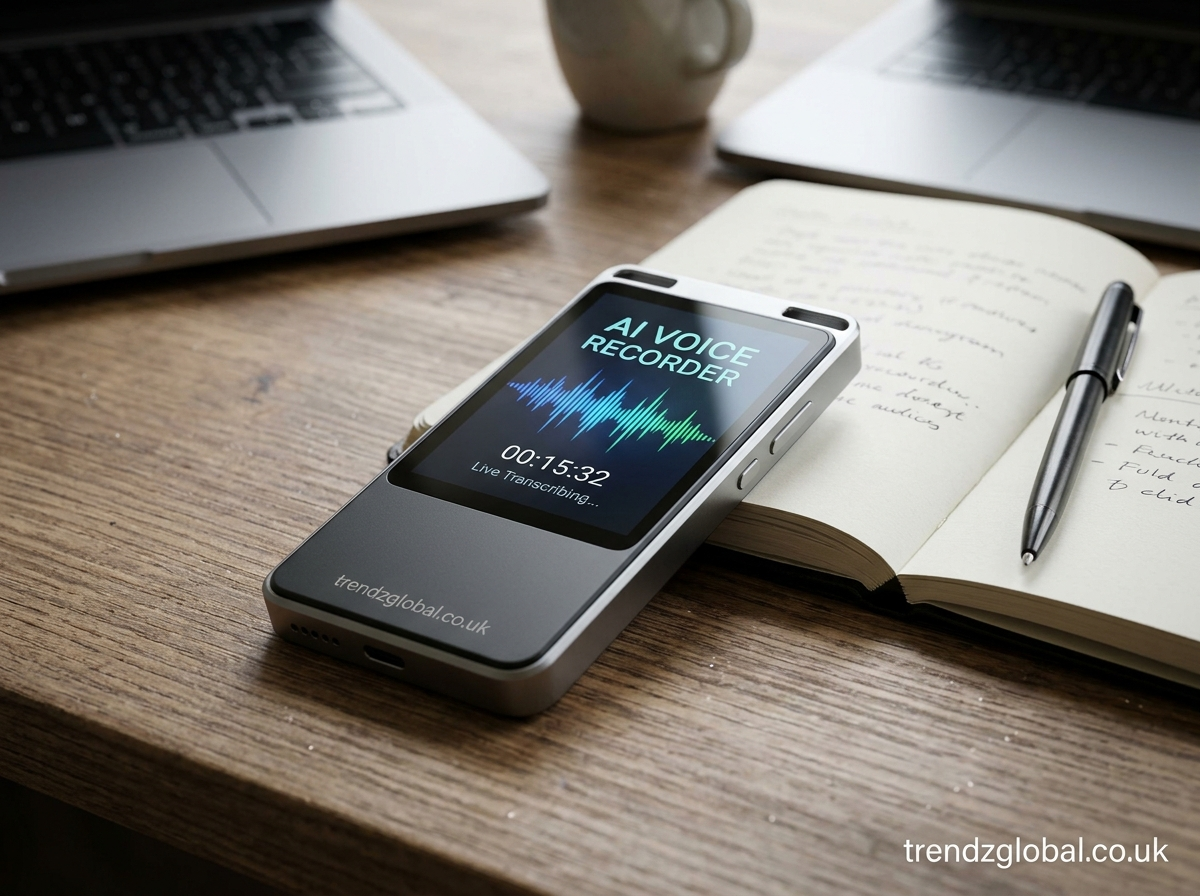
An AI voice recorder lets you record conversations, lectures, interviews, and meetings while using artificial intelligence to turn spoken words into text and organize important information. Depending on the tool, it can also create summaries, identify different speakers, and help you find specific details in long recordings.
Unlike a traditional voice recorder, which mainly saves audio files, an AI voice recorder can help you understand and review what was said. This makes it useful for students, professionals, teachers, journalists, and anyone who wants to keep accurate records of conversations.
Some AI voice recorders work through mobile apps, while others are available as web tools or dedicated recording devices. The right option depends on whether you need basic audio recording, automatic transcription, meeting summaries, or a combination of these features.
What Is an AI Voice Recorder?
An AI voice recorder is a recording tool that uses artificial intelligence to process spoken audio. It can capture a person’s voice and, depending on its features, convert the recording into written text, organize the conversation, or generate a short summary.
For example, a student can record a lecture and use an AI transcription feature to create written notes. A business professional can record a meeting and review the main decisions afterward instead of listening to the entire conversation again.
AI voice recorders can also help users search for particular words, review interview answers, and organize information from multiple recordings. Some tools provide only transcription, while others include speaker identification, summaries, and action items.
The main difference between an AI voice recorder and a standard recorder is how the audio is processed after recording. A traditional recorder stores sound, while an AI-powered tool can turn that sound into information that is easier to read, search, and review.
How Does an AI Voice Recorder Work?
An AI voice recorder generally follows a few steps, from capturing audio to producing a transcript or summary. The exact process depends on the application or device.
Recording Voice and Conversations
The process starts when you open the recorder and allow access to your microphone. The tool captures sound from a lecture, meeting, interview, or personal voice note and saves it as an audio file.
Recording quality depends on microphone performance, distance from the speaker, background noise, and the surrounding environment. Placing the microphone near the speaker and choosing a quiet location can improve the quality of the recording.
Some tools record directly on your phone or computer. Others use dedicated hardware or connect to online meeting platforms. Before recording, check the device’s available storage, microphone settings, and any applicable consent requirements.
Converting Speech Into Text
Many AI voice recorders include automatic speech recognition, also called speech-to-text technology. This technology analyzes spoken audio and produces a written transcript.
The transcript allows you to review what was said without replaying every section of the recording. Depending on the tool, you may be able to edit the text, search for keywords, add timestamps, or download the transcript.
Transcription quality is not always perfect. Strong accents, technical terms, overlapping conversations, and background noise can lead to errors. Review important details before using the transcript as an official record.
Identifying Speakers and Organizing Information
Some AI recording tools offer speaker diarization, which separates a conversation into sections based on who is speaking. The transcript may label participants as Speaker 1, Speaker 2, or similar identifiers.
This feature is useful for interviews, team discussions, and research conversations. It helps readers follow the exchange and understand which participant made a particular statement.
Speaker labels are not the same as verified identity recognition. A tool may separate voices without knowing the speakers’ real names, so you may need to assign names manually and correct any mistakes.
Creating Summaries and Action Items
AI voice recorders with summarization features can process a transcript and produce a shorter version of the conversation. A summary may include the main topics, important decisions, questions, and tasks discussed.
For example, after a project meeting, an AI tool might list the agreed deadline, the person responsible for a task, and the next meeting date. This can make it easier to review the discussion and follow up on unfinished work.
Summaries are generated from the available audio or transcript, so they can omit context or misinterpret statements. Check the original recording before relying on a summary for important decisions.
What Can You Do With an AI Voice Recorder?
An AI voice recorder can support several everyday tasks, depending on the features included in the selected tool.
Students can use it to record lectures and produce text they can review while studying. Teachers can keep records of discussions or prepare notes from spoken explanations. These uses are particularly helpful when a lesson contains many details that are difficult to write down in real time.
Business teams can use AI recording tools to document meetings, review discussions, and prepare summaries. Instead of relying entirely on handwritten notes, team members can return to the transcript to check what was discussed or agreed upon.
Journalists and interviewers can use transcription to reduce the time spent typing interviews manually. Researchers may use recordings to review participant responses, although confidential research data should be handled according to the project’s privacy and data-protection requirements.
Content creators can record ideas, spoken drafts, and brainstorming sessions. They can later turn these recordings into written notes or use the transcripts as a starting point for articles, scripts, and other content.
For personal use, an AI voice recorder can capture reminders, ideas, and spoken to-do lists. Users can record a thought when typing is inconvenient and organize it later.
Key Features to Look for in an AI Voice Recorder
Not every AI voice recorder offers the same capabilities. Understanding the main features can help you choose a tool that fits your needs.
Accurate Speech-to-Text Transcription
Transcription is one of the most useful features of an AI voice recorder. It converts spoken language into text, making recordings easier to review and search.
Look for support for the languages and accents you use most often. If you record conversations in more than one language, check whether the tool supports multilingual transcription and how it handles language changes within the same recording.
Automatic Meeting Summaries
Meeting summaries reduce a long conversation to its main points. Depending on the tool, the summary may include decisions, follow-up tasks, deadlines, and unresolved questions.
This feature is useful for professionals who attend several meetings each day. However, summary quality varies between tools, and users should verify important information against the transcript or audio.
Speaker Identification
Speaker identification features help distinguish different voices in a recording. They are especially useful for group discussions, interviews, and recorded conversations.
Check whether the recorder supports multiple speakers and whether its speaker labels can be edited. Clear audio and minimal overlapping speech generally make speaker separation easier.
Support for Multiple Languages
Language support matters when you record international meetings, foreign-language lectures, or multilingual interviews. Some tools support many languages, while others focus on a smaller selection.
Check the specific languages available for recording, transcription, and summarization. A tool may support transcription in a language without offering every AI feature in that same language.
Audio Export and Transcript Download
Export options determine how easily you can use your recordings outside the application. Common options include downloading audio files, copying transcripts, and exporting text or documents.
If you need to share notes with colleagues or store records for future reference, check supported file formats and whether exports are available on the free plan.
Search, Storage, and Sharing Options
Searchable transcripts allow you to find a word, name, topic, or phrase without listening to an entire recording. This can save time when working with long interviews or recurring meetings.
Storage and sharing features are also worth checking. Consider how long recordings remain available, whether files can be organized into folders, who can access shared links, and whether you can delete stored audio and transcripts.
Best Uses of an AI Voice Recorder
The value of an AI voice recorder depends on the work you need to complete. Different users benefit from different features.
For Students and Teachers
Students can record lectures, review explanations, and create searchable study notes. A transcript can help them revisit a difficult topic without replaying an entire class.
Teachers may use recordings to prepare lesson notes, review discussions, or document spoken feedback. Users should follow school rules and obtain permission where required before recording classes or other participants.
For Business Meetings and Teams
Professionals can use AI voice recorders to document discussions and prepare meeting summaries. The transcript can help team members check deadlines, assigned tasks, and decisions after a meeting.
For remote meetings, check whether the tool integrates with the relevant meeting platform or requires a separate recording process. Some tools work only with uploaded audio, while others can capture supported online meetings directly.
For Journalists and Interviewers
Interviewers can use AI transcription to create a written version of recorded conversations. This makes it easier to search for quotes, review answers, and organize material for a report.
Transcription should be treated as a working draft rather than a guaranteed verbatim record. Verify quotations against the original audio, particularly when exact wording matters.
For Content Creators and Researchers
Content creators can record ideas while planning videos, podcasts, or articles. The transcript can provide a starting point for scripts and written content.
Researchers can use recordings to review interviews and discussions. When recordings contain sensitive information, they should choose tools that meet their confidentiality, consent, and data-handling requirements.
For Personal Notes and Everyday Tasks
An AI voice recorder can capture reminders while walking, commuting, or working on another task. A user can record an idea and later convert it into text or a short summary.
For simple reminders, a basic recorder with speech-to-text may be enough. Users who frequently review long recordings may benefit more from searchable transcripts and automatic summaries.
AI Voice Recorder vs. Traditional Voice Recorder
Both types of recorders capture audio, but their main functions differ.
A traditional voice recorder focuses on recording and saving sound. It may offer useful controls for audio quality, file management, and playback, but it usually does not create AI-generated transcripts or summaries by itself.
An AI voice recorder adds features that process the recorded audio. Depending on the product, these may include speech-to-text conversion, speaker separation, searchable transcripts, summaries, and automatic task extraction.
AI-powered tools can be more useful when you need written records or want to review a long conversation quickly. A traditional recorder may be a better fit when your priority is simply capturing high-quality audio without additional processing.
There are also practical differences to consider. Some AI features require an internet connection, a subscription, or uploading recordings to an online service. A basic recorder may work without internet access and may give you more direct control over locally stored audio files.
Your choice should depend on your actual needs. If you mainly record short voice notes, a simple application may be sufficient. If you regularly manage interviews or meetings, transcription and summarization may save considerable review time.
How to Use an AI Voice Recorder
Using an AI voice recorder is generally straightforward. The exact steps vary by app, website, or device, but the basic process is similar.
Step 1: Choose a suitable recording tool. Select an AI voice recorder that supports your device, preferred language, and required features. Decide whether you need live transcription, uploaded-audio transcription, summaries, or offline recording.
Step 2: Check microphone permissions. Open the application or website and allow microphone access if required. Test the microphone before recording an important conversation.
Step 3: Start recording. Place your device where it can capture the speaker clearly. Reduce background noise when possible, and make sure participants know about the recording when required.
Step 4: Generate a transcript or summary. If the tool supports AI transcription, select the relevant option after recording or enable live transcription if available. Some tools process audio automatically, while others require you to start the process manually.
Step 5: Review the results. Check speaker names, technical terms, dates, figures, and important statements. Correct errors before sharing or using the transcript.
Step 6: Save or export your files. Download the audio or transcript if the tool supports it. Store the files in a secure location and remove copies you no longer need, according to your recordkeeping requirements.
Following these steps can help you create useful records without depending entirely on memory or handwritten notes.
Can You Use an AI Voice Recorder for Free?
Yes, some AI voice recorders offer free plans or basic recording features at no cost. The available functions vary by provider, so a free option may be suitable for occasional use but insufficient for people who record for several hours each day.
Some free tools allow basic audio recording and playback. Others include speech-to-text transcription, but limit the number of minutes you can process, the length of each recording, or the amount of stored data.
Advanced features such as detailed meeting summaries, speaker identification, longer recordings, and team sharing may require a paid plan. Some services also restrict transcript downloads or place limits on how many files you can process each month.
Before choosing a free AI voice recorder, check the recording limits, supported languages, export options, privacy policy, and whether your recordings are stored locally or uploaded to a server.
You should also consider the purpose of your recordings. A free tool may be enough for occasional voice notes or short lectures. If you depend on transcription for work, compare the cost of a paid plan with the time you spend correcting transcripts and reviewing audio manually.
Is an AI Voice Recorder Safe and Accurate?
An AI voice recorder can produce useful results, but safety and accuracy depend on the tool, recording conditions, and the way you handle the files.
Accuracy depends on audio quality. Clear speech and a quiet environment generally improve transcription. Background conversations, poor microphones, unfamiliar accents, and people speaking over one another can lead to missing or incorrect words.
AI-generated text needs review. A transcript may contain mistakes in names, numbers, technical terms, or punctuation. A summary may also leave out a qualification or misunderstand a speaker’s meaning. Check the original audio before using the output for legal, academic, medical, financial, or other important purposes.
Privacy depends on the service. Some recorders process audio on the device, while others send recordings to online servers for transcription. Before using a service, review its privacy policy, data-retention rules, access controls, and available deletion options. Do not upload confidential recordings to a tool unless its data practices meet your requirements.
Consent matters. Recording laws differ by country and situation. Inform participants and obtain consent when required by applicable law, workplace policy, or institutional rules. Be especially careful with private meetings, interviews, and recordings that contain personal information.
An AI voice recorder is most useful when its results are treated as assistance rather than unquestionable fact. A quick review can help catch mistakes before they affect notes, reports, or decisions.
How to Choose the Right AI Voice Recorder
Start by identifying what you need the recorder to do. If you only want to capture audio, a basic voice recording app may be enough. If you want to turn conversations into written notes, prioritize transcription quality and language support.
For frequent meetings, look for speaker labels, searchable transcripts, and summaries that identify decisions and action items. Students may prefer a tool that handles lectures well and offers convenient transcript exports. Journalists and researchers may need more control over editing, file storage, confidentiality, and access permissions.
Device compatibility is another important factor. Check whether the tool works on your phone, computer, or preferred operating system. If you regularly record in locations without reliable internet, confirm that recording and any required AI processing can work offline.
Compare pricing carefully. A free plan may have limits on transcription minutes or file exports, while a paid plan may provide longer recordings or more advanced features. Make sure the features you need are actually included in the selected plan.
Finally, review the provider’s privacy practices before recording sensitive conversations. Consider where the files are processed, how long they are retained, who can access them, and whether you can permanently delete them.
The right AI voice recorder is the one that fits your daily workflow, produces usable results, and handles your recordings in a way you are comfortable with.
Frequently Asked Questions About AI Voice Recorders
What is the best AI voice recorder?
The best AI voice recorder depends on your purpose. Students may prioritize lecture transcription, professionals may need meeting summaries, and journalists may focus on transcript accuracy and export options. Compare supported languages, recording limits, privacy practices, and pricing before choosing a tool.
Is there a free AI voice recorder?
Yes, some apps and online services offer free recording or transcription features. However, free plans may limit recording duration, transcription minutes, storage, or access to AI summaries. Check the current plan details before relying on a free tool for regular work.
Can an AI voice recorder automatically transcribe audio?
Yes, many AI voice recorders can convert recorded speech into written text automatically. Some also provide live transcription while recording. Accuracy depends on audio quality, language support, accents, and background noise, so important transcripts should be reviewed.
Can an AI voice recorder summarize meetings?
Yes, tools with AI summarization can turn meeting transcripts into shorter notes containing main topics, decisions, and possible action items. Not every recorder offers this feature, and the generated summary may miss context. Review important details against the original conversation.
Does an AI voice recorder work offline?
Basic audio recording often works offline if the app stores files on the device. AI transcription and summaries may require an internet connection because processing takes place on remote servers. Some tools offer offline speech recognition, so check the specific product’s capabilities.
Can I use an AI voice recorder on my phone?
Yes, many AI voice recorders are available as mobile apps or browser-based tools. Depending on the product, you can record audio, transcribe speech, and review summaries directly on your phone. Check operating system compatibility, microphone permissions, and available storage.
Is an AI voice recorder accurate?
An AI voice recorder can produce useful transcripts, but it is not always perfectly accurate. Clear speech and low background noise help, while overlapping voices, unfamiliar terminology, and strong accents can cause errors. Always verify important names, numbers, and quotations.
Are AI voice recordings private?
Privacy depends on how the recording tool stores and processes audio. Some tools process files locally, while others upload them to online services. Review the provider’s privacy policy, retention rules, and deletion options, and obtain consent when required before recording other people.
Conclusion
An AI voice recorder can make it easier to capture conversations, convert speech into text, and review important information. Depending on the tool, it may also identify speakers, create meeting summaries, and let you search through long recordings.
