



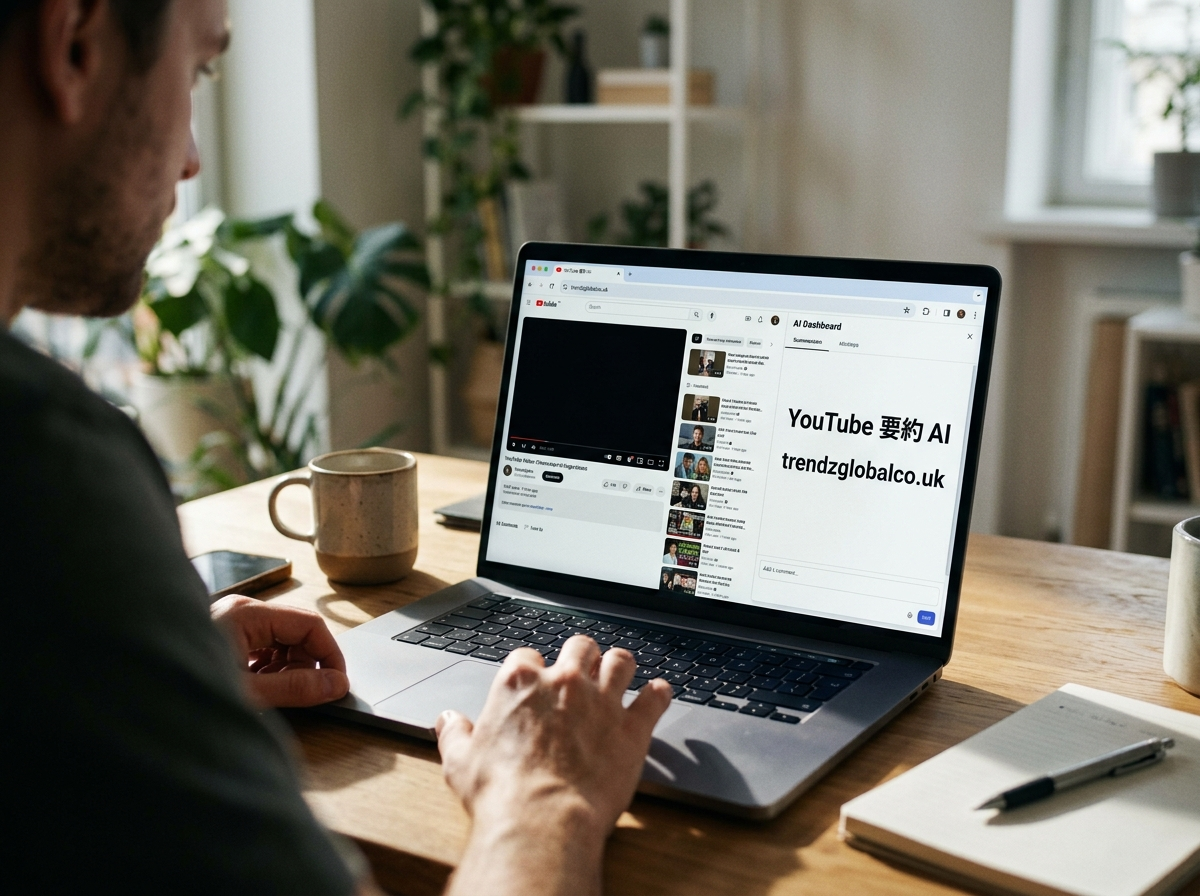
YouTube 要約 AI means using artificial intelligence to summarize YouTube videos. These tools help users understand long videos by extracting the main ideas, important details, and key takeaways. Instead of watching an entire video to find one answer, you can use an AI summarizer to review the most relevant information in less time.
AI YouTube summarizers are useful for students, researchers, professionals, and content creators. They can turn video transcripts into short notes, explain difficult topics, and create summaries in different languages, including Japanese. However, the results depend on the tool, transcript quality, video access, and the instructions you provide.
If you want to summarize a lecture, tutorial, interview, or educational video, this guide explains how YouTube AI summarization works, which tools you can try, and how to get useful results.
What Is YouTube 要約 AI?
YouTube 要約 AI is a Japanese search phrase that refers to AI-powered YouTube video summarization. It describes tools and methods that use artificial intelligence to convert video content into shorter, easier-to-read explanations.
These tools often work with subtitles or transcripts rather than analyzing every visual detail in a video. They identify the main topic, select important points, and organize the information into a summary. Depending on the tool, the result may include a short paragraph, a list of key points, chapter summaries, or timestamps.
For example, imagine you find a 45-minute YouTube lecture about data science. An AI summarizer may turn its transcript into a short overview of the main concepts, the examples discussed by the speaker, and the conclusions. You can read that summary before deciding which parts of the video deserve your attention.
A summary is different from a transcript. A transcript contains the spoken words, while a summary focuses on the most relevant information. Key-point notes are shorter still and present the main ideas in an easy-to-scan format.
How Does an AI YouTube Video Summarizer Work?
An AI YouTube summarizer usually starts by accessing a video’s transcript or subtitles. Some tools retrieve available captions directly from YouTube, while others process an uploaded audio file or use speech recognition to convert spoken words into text. The exact process depends on the service.
Once the text is available, the AI model examines the content and identifies the central topic, supporting ideas, examples, and conclusions. It then produces a shorter version of the material. Users may be able to choose the summary length, language, format, or level of detail.
Some services also create chapter-based summaries and include timestamps that point to relevant moments in the original video. These features can help when you want to review a particular explanation without searching through the entire recording.
However, transcript-based tools may miss information shown only on screen, such as charts, demonstrations, diagrams, or visual instructions. If the video contains important visual details, watch the relevant sections instead of relying entirely on the written summary.
How to Summarize a YouTube Video with AI
Summarizing a YouTube video with AI is usually straightforward. The exact steps vary by service, but most tools follow a similar process.
First, open YouTube and choose the video you want to summarize. Copy its URL from the address bar or use the Share option to copy the link. If the video contains private information, make sure you have permission to process its content through an external service.
Next, open an AI summarization tool that supports YouTube links. Paste the URL into the provided field and start the summarization process. Some tools may ask you to sign in or select a summary format before continuing. If the tool cannot access the video, check whether captions are available or whether it supports transcript uploads.
After the summary appears, review the main points and compare important details with the original video. If you need more information, ask the tool for a longer explanation, a list of key terms, or timestamps for specific topics.
For example, you can use this prompt with an AI assistant that has access to the video transcript:
“Summarize this YouTube video in simple English. Explain the main idea, list the five most important points, include useful examples, and provide timestamps when available. Do not add information that is not supported by the video.”
This approach works well for lectures, interviews, tutorials, and other videos that contain a clear spoken explanation.
Best AI Tools for YouTube Video Summaries
The right tool depends on your needs. Some services focus on transcripts, while others help users ask questions about source material or prepare study notes. Features and free-plan limits can change, so check the current service details before choosing one.
Gemini
Best for users already working with Google’s AI services
Gemini can help explain information, summarize accessible text, and organize notes. Depending on the available features and video access, it may help with YouTube-related content. Do not assume every YouTube link can be summarized directly in every version of Gemini.
If direct access is unavailable, provide a transcript or relevant text and ask for a short summary. You can request explanations of difficult concepts, important takeaways, or a Japanese-language overview.
NotebookLM
Best for research and study notes
NotebookLM is designed to help users work with source materials. It can be useful when you want to study information from transcripts, documents, and other supported sources.
For a YouTube video, check whether the video URL is supported and whether its transcript can be imported. You can then ask questions about the source, create study notes, or review specific ideas. Its usefulness depends on the material it can access.
Notta
Best for transcription and spoken content
Notta focuses on converting speech into text and helping users work with transcripts. This can be useful when you need written notes from interviews, meetings, lectures, or other recordings.
If you have access to a video’s audio or transcript, a transcription tool can help prepare the text for summarization. Check its supported file formats, language options, and subscription limits before using it for a specific YouTube video.
YouTube Summary with ChatGPT and Claude
Best for users who prefer browser-based workflows
Browser extensions with names such as YouTube Summary with ChatGPT and Claude can offer a convenient way to work with YouTube transcripts. Availability and features vary by extension, so confirm the exact publisher and current permissions before installation.
Depending on the extension, you may be able to generate a summary beside a video or send transcript text to an AI assistant. Review the privacy policy and requested browser permissions, particularly if you use YouTube for work or study.
For occasional use, you may not need a dedicated summarizer. If you can obtain the transcript, a general AI assistant may be enough to create a short overview, detailed notes, or a Japanese translation.
Can You Summarize YouTube Videos in Japanese for Free?
Yes, you can often summarize YouTube videos in Japanese without paying, although the available methods and usage limits vary.
One option is to use a free AI service that supports Japanese and can access the video’s content. Another is to copy the available transcript and paste it into an AI assistant. You can then request a summary written in natural Japanese rather than a direct word-for-word translation.
For example, a student watching an English science lecture could provide its transcript and use this instruction:
“この動画の内容を自然な日本語で要約してください。重要なポイント、具体例、結論をわかりやすく説明してください。動画にない情報は追加しないでください。”
This prompt asks the AI to summarize the video in natural Japanese, explain the key points and examples, and avoid adding unsupported information.
Keep in mind that a free service may restrict the amount of text you can submit, the number of summaries you can create, or the features available to your account. Some services also require a sign-in. If a transcript is too long, divide it into sections and summarize each section before preparing a final overview.
How to Summarize English YouTube Videos in Japanese
An AI summarizer can help Japanese-speaking users understand English videos without reading a full English transcript. This is useful for educational content, technology tutorials, business discussions, and interviews.
Start by checking whether the video has English captions. If a supported AI tool can access the video, choose Japanese as the output language. If it cannot access the link, obtain the transcript through an available caption or transcription feature and submit the text to an AI assistant.
For better results, specify the kind of Japanese summary you need. A beginner may want simple explanations and definitions of technical terms. A researcher may prefer a detailed outline with evidence and timestamps. Someone reviewing a short tutorial may only need the steps and final result.
You can also ask the AI to preserve important English terms alongside their Japanese meanings. This helps when the video discusses programming, science, finance, or other subjects where technical vocabulary matters.
Always check important translations against the original content. Automatic transcription can misinterpret names, abbreviations, numbers, and specialized terms. A Japanese summary may read naturally while still containing an error from the original transcript.
Benefits and Limitations of YouTube AI Summaries
AI summaries can save time when a video contains a long introduction, repeated explanations, or several sections that are not equally relevant to your needs. A short overview can help you decide whether a video is worth watching in full.
Students can use summaries to review lectures and prepare revision notes. Researchers can identify relevant discussions before examining the source in detail. Content creators can use them to organize research or find topics for further investigation. Language learners may also benefit from comparing an English transcript with a Japanese summary.
Despite these benefits, an AI summary should not be treated as a perfect record of the video. It may leave out important qualifications, simplify an argument too much, or misinterpret unclear speech. It can also miss visual demonstrations that are central to the explanation.
The best approach is to use a summary as a starting point. Check the original video when accuracy matters, especially for medical information, financial decisions, legal topics, technical instructions, and claims involving specific statistics.
How to Get More Accurate AI Video Summaries
The quality of an AI summary depends partly on the source material and partly on your instructions. A vague request such as “summarize this video” may produce a general overview that leaves out the details you actually need.
Give the AI a clear task. Tell it whether you want a short summary, detailed notes, a chapter-by-chapter explanation, or a list of practical steps. You can also specify the target audience, such as a beginner, student, or professional.
For long videos, ask for separate summaries of each major section. Then request a final summary that combines the central ideas without repeating the same information. If the transcript includes timestamps, ask the tool to retain them so you can return to important sections quickly.
A useful prompt is:
“Create a detailed summary of this YouTube transcript. Identify the main argument, supporting evidence, examples, and final conclusions. Organize the result by topic, include timestamps when available, and clearly identify any information that is unclear or cannot be verified from the transcript.”
Finally, check names, dates, numbers, quotations, and technical terms against the original source. If the summary is intended for an article, presentation, or academic assignment, verify the claims before reusing them.
Is It Safe and Legal to Use YouTube AI Summarizers?
Using an AI summarizer can be a practical way to study publicly available videos, but you should pay attention to privacy, copyright, and the service’s terms.
Before installing a browser extension, check its publisher, requested permissions, and privacy policy. Some tools may process video URLs or transcripts through external servers. Avoid submitting confidential recordings, private meeting videos, or sensitive information unless you have permission and understand how the service handles that material.
Copyright rules also matter. Summarizing a video for personal study is different from copying its transcript or publishing a detailed substitute for the original work. A summary does not automatically give you permission to reproduce copyrighted material. If you plan to publish or monetize content based on a video, consider the applicable law, the platform’s terms, and the rights of the original creator.
YouTube’s access restrictions and the terms of individual AI services may also affect which videos a tool can process. If a summarizer cannot access a video, use an authorized transcript or another supported method rather than attempting to bypass access controls.
Frequently Asked Questions About YouTube 要約 AI
What is the best AI for summarizing YouTube videos?
The best option depends on your goal. A transcript-focused service can help with spoken content, while an AI assistant can turn accessible text into study notes or a Japanese summary. Compare video-link support, language options, privacy, and free-plan limits before choosing.
Is there a free AI that summarizes YouTube videos?
Yes. Some tools offer free summarization features or limited free usage. You can also copy a video’s available transcript into an AI assistant and request a summary. Access restrictions and usage limits vary by service.
Can AI summarize a YouTube video in Japanese?
Yes. Many AI assistants can write summaries in Japanese when they have access to the video’s transcript or other supported content. Ask for natural Japanese, important terms, examples, and the main conclusions.
Can ChatGPT summarize a YouTube video from a link?
It depends on the available tools and whether the video content can be accessed in your ChatGPT environment. A link alone does not guarantee access to the video’s audio or captions. If direct access does not work, provide the transcript and ask for a summary.
Why is my YouTube video not being summarized?
The video may lack accessible captions, use restricted access, exceed the tool’s input limit, or have a URL format the service does not support. Try checking the transcript, using a supported URL, or submitting the transcript text directly.
Can AI summarize a YouTube video without subtitles?
Yes, if the tool can process the audio and includes speech-to-text transcription. Otherwise, you may need to provide an audio file or transcript through a supported method. Transcription accuracy can vary with background noise, accents, and technical vocabulary.
Are YouTube AI summaries accurate?
They can be useful, but they are not always accurate. AI may miss context, misread a transcript, or omit important details. Check the original video before relying on a summary for research, professional work, or decisions that require precise information.
Conclusion
YouTube 要約 AI helps users turn long YouTube videos into shorter summaries, key-point notes, and explanations in their preferred language. It can be useful for studying, researching, reviewing tutorials, and understanding English content in Japanese.
