



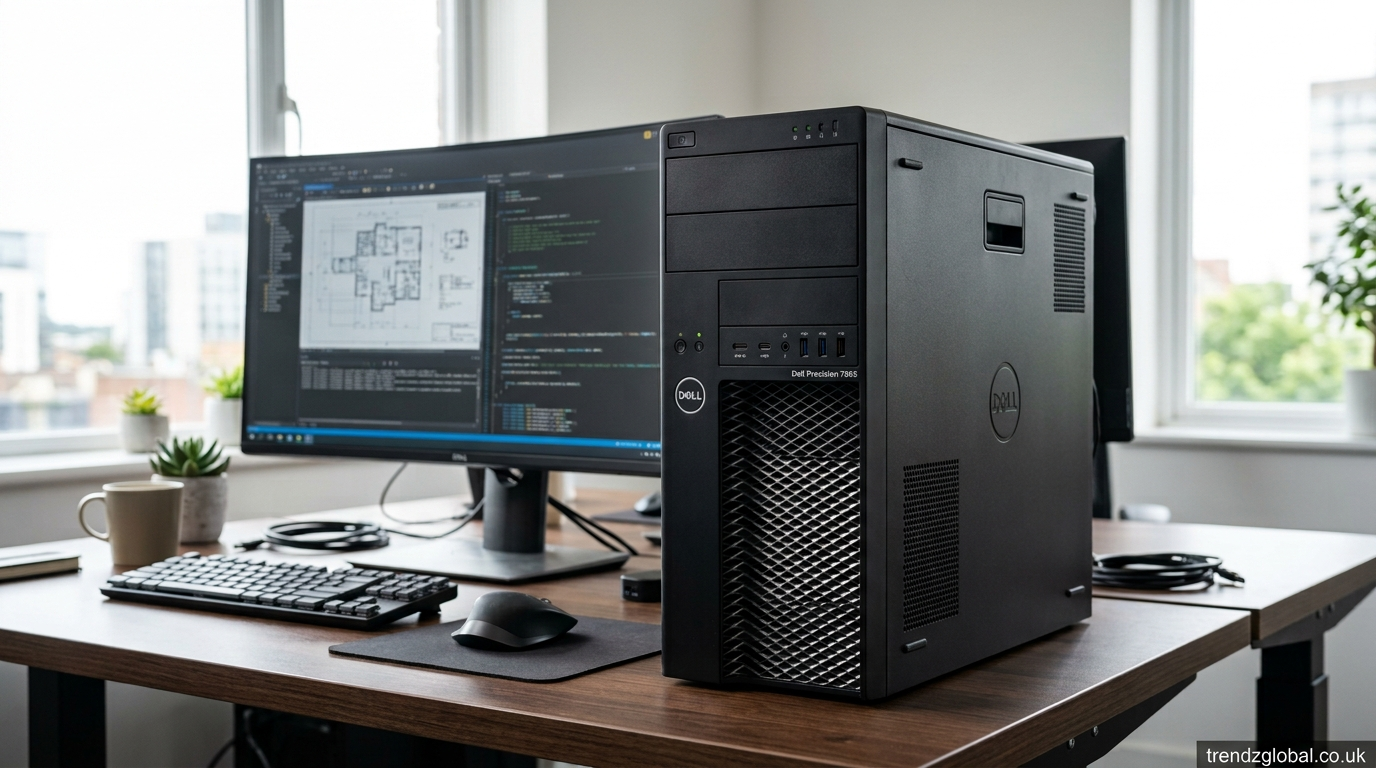
The Dell Precision 7865 is a professional tower workstation built for workloads that need more processing power, memory, graphics capacity, and expansion than a standard desktop. It uses AMD Ryzen Threadripper PRO processors and supports professional graphics cards from NVIDIA and AMD.
Depending on the configuration, the workstation can have up to 64 CPU cores, 1TB of DDR4 ECC memory, several storage options, and high-end professional GPUs. That makes it suitable for engineering, 3D design, rendering, architecture, video work, technical computing, and other demanding tasks.
What Is the Dell Precision 7865?
The Dell Precision 7865 is a full-size tower workstation aimed at professional users. Unlike a typical business desktop, it is built around workstation-class processors, ECC memory, professional graphics, and a large number of expansion options.
Its processor range includes AMD Ryzen Threadripper PRO 5945WX, 5955WX, 5965WX, 5975WX, and 5995WX models. The top 5995WX configuration has 64 cores and 128 threads, with a base clock of 2.7 GHz and boost speeds reaching up to 4.5 GHz according to Dell’s specifications.
The 7865 is aimed at people who regularly work with large projects or applications that can take advantage of many CPU cores. Dell has positioned the workstation for engineers, architects, designers, creators, and technical users working with demanding applications.
Dell Precision 7865 Specifications
The hardware inside the Precision 7865 depends on the configuration selected. Its CPU choices range from 12-core to 64-core Threadripper PRO processors. This gives buyers a way to match the workstation to the type of software they use.
Memory is another major part of the system. The workstation has eight DIMM slots and supports DDR4 ECC memory at up to 3200 MHz, with configurations reaching 1TB. ECC memory is useful in professional environments where detecting and correcting certain memory errors matters.
Storage can include SATA hard drives as well as PCIe NVMe SSDs. Dell lists M.2 NVMe options ranging from 256GB to 4TB, along with larger SATA storage choices. Dell also describes configurations supporting large amounts of total storage and RAID options.
For graphics, available options include NVIDIA RTX A2000, A4000, A4500, A5500, and A6000 cards, along with AMD Radeon Pro W6400, W6600, and W6800 options. Exact availability can depend on the market and configuration.
Dell Precision 7865 Processor Performance
The biggest hardware feature of the Precision 7865 is its AMD Ryzen Threadripper PRO processor family. These chips were designed for professional workloads where both high clock speeds and many CPU cores can matter.
A 12-core processor can make sense for users whose applications do not scale well across many cores, while 32-core or 64-core configurations are more suited to heavily multithreaded tasks. The 5995WX provides 64 cores and 128 threads, making it particularly relevant to rendering, simulation, compilation, and other workloads that can use many threads.
Dell’s engineering material highlights workloads such as SOLIDWORKS, KeyShot, and ANSYS. The company notes that the Threadripper PRO range is intended to handle both interactive design work and heavily multithreaded workloads such as rendering and simulation.
This does not mean every application will become faster simply because the workstation has more cores. Software has to be able to use those cores. For lightly threaded applications, clock speed and application-specific performance can matter more than the total core count.
Graphics Options and 3D Performance
The Precision 7865 can be configured with professional GPUs from NVIDIA and AMD. At the upper end, Dell lists the NVIDIA RTX A6000 with 48GB of GDDR6 memory and the AMD Radeon Pro W6800 among its graphics choices.
This range gives users different ways to configure the workstation. A person doing basic professional graphics work may not need the same GPU as someone producing complex 3D scenes or working with large visualization projects.
For CAD and 3D modeling, GPU requirements depend heavily on the application and project size. Rendering applications can also use the GPU when the software supports GPU rendering. Other workloads may depend more heavily on the CPU.
The Precision 7865 can also support multiple professional graphics cards in suitable configurations. Dell’s software-development material states that the tower can support up to two full-height, double-width professional graphics cards, depending on the configuration.
Memory and Storage Options
Large memory capacity is one of the reasons to consider the Precision 7865 instead of an ordinary desktop. Dell lists up to 1TB of DDR4 ECC memory through eight DIMM slots.
For users working with large datasets, complex 3D projects, virtual machines, or heavy professional applications, additional RAM can reduce the need to constantly move data between memory and storage.
Storage choices are also flexible. The workstation supports M.2 PCIe NVMe SSDs as well as SATA drives. Dell’s documentation lists NVMe capacities from 256GB through 4TB for individual supported configurations, while larger overall storage configurations are also available.
A fast NVMe SSD is useful for the operating system, applications, active projects, and frequently accessed files. Larger hard drives can be useful when the priority is storing large amounts of data.
What Can You Use the Dell Precision 7865 For?
The Precision 7865 is intended for demanding professional work rather than basic web browsing, office documents, or casual home use.
Engineers can use it for CAD, simulation, analysis, and design applications. Dell specifically discusses workloads involving SOLIDWORKS and ANSYS, including mechanical design and simulation tasks.
Architects and designers can use a suitable configuration for BIM, 3D modeling, visualization, and rendering. The right CPU, GPU, and memory combination depends on the software and size of the projects.
Video professionals can also benefit from its high CPU core count, large memory capacity, multiple storage options, and professional graphics choices. Applications such as video editing, effects, encoding, and rendering can benefit from workstation hardware, although performance varies by application.
The system can also suit software developers, data scientists, researchers, and users working with large datasets or code compilation. Dell has specifically marketed the 7865 toward software development and workloads involving large datasets and demanding compute tasks.
Dell Precision 7865 Upgrade Options
One of the useful features of a tower workstation is the ability to change or add hardware later. The Precision 7865 provides multiple internal expansion options, memory slots, storage connections, and PCIe expansion.
RAM is one of the easiest areas to consider when planning an upgrade. With eight DIMM slots and support for large ECC memory configurations, users can select a suitable capacity at purchase and expand later when the workload requires it.
Storage can also be expanded depending on the installed hardware and available bays or slots. NVMe SSDs can provide faster access to active files, while SATA drives can provide additional capacity.
GPU upgrades require more planning. The replacement card must fit the chassis, power supply, cooling system, and available expansion slots. Before buying an upgrade, it is worth checking the exact configuration rather than assuming every Precision 7865 supports every graphics card.
Dell Precision 7865 Ports and Connectivity
The workstation provides a selection of front and rear connections for professional use. Dell lists USB Type-A and Type-C connectivity, while supported configurations can include high-speed networking and additional expansion cards.
Dell’s documentation also lists native 1Gb and 10Gb Ethernet on the workstation. That can be useful in offices where large files need to move between workstations, servers, and storage systems.
An independent review of the Precision 7865 noted the usefulness of the front USB connections, USB-C ports, audio connection, and SD card reader. The review also found that the system offered 10Gb Ethernet but noted the lack of built-in Thunderbolt ports on the tested configuration.
Exact ports can vary with installed expansion cards and configuration, so buyers should check the specification of the particular machine they are considering.
Dell Precision 7865 Pros and Limitations
The Precision 7865 has several characteristics that make it different from an ordinary desktop. Its Threadripper PRO CPU range provides high core counts, while ECC memory and professional graphics options are aimed at demanding workloads. The system also provides room for storage and PCIe expansion.
The large tower size is useful for the hardware inside, but it also means this is not a compact desktop. Power consumption can also be much higher than that of a typical office PC, particularly in configurations with high-end CPUs and GPUs.
Cost is another consideration. A fully configured workstation with a 64-core processor, large ECC memory capacity, and a professional GPU can be expensive. Paying for hardware that your software cannot use efficiently does not make sense.
For ordinary office work, web browsing, email, and basic productivity, the Precision 7865 may provide far more hardware than necessary. Its value becomes easier to understand when the workload actually requires high CPU core counts, large memory capacity, professional graphics, or extensive expansion.
Is the Dell Precision 7865 Right for You?
The Dell Precision 7865 makes sense for users whose daily work puts serious demands on their computer. Engineers, architects, 3D artists, developers, researchers, video professionals, and technical teams are among the people who may benefit from its hardware choices.
The most important step is to choose the configuration according to the software being used. A 64-core CPU is useful for applications that can take advantage of many threads, while a powerful GPU matters more for GPU-based rendering and graphics workloads. Memory requirements also vary from one workflow to another.
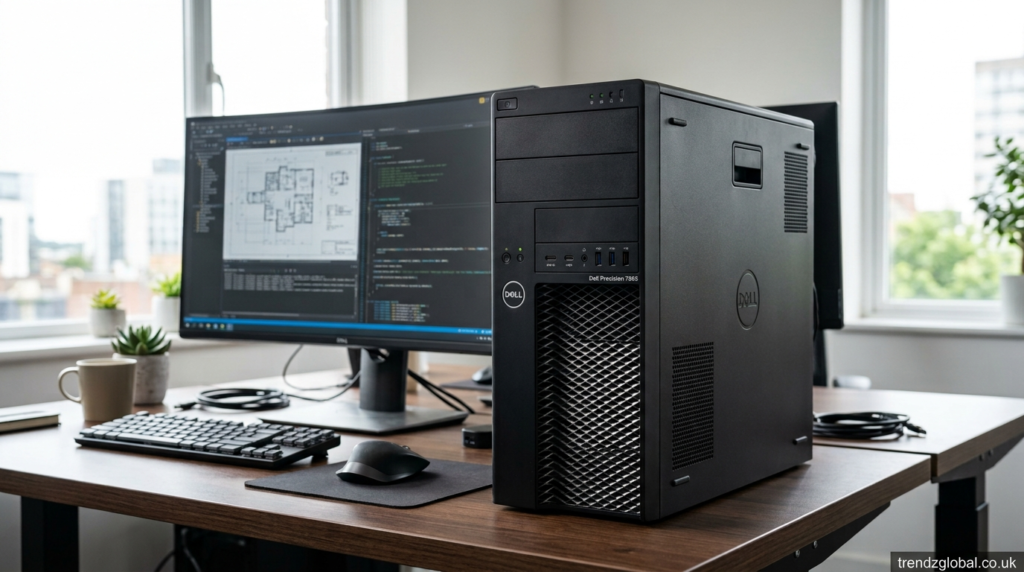
If you are buying a used Dell Precision 7865, check the exact processor, RAM, GPU, storage, power supply, and expansion cards installed in that particular unit. Two systems with the same model name can have very different performance because of their internal configurations.
For professional users who need a large tower with Threadripper PRO processing, ECC memory, professional graphics, and room for expansion, the Precision 7865 is designed around those requirements.
Conclusion
The Dell Precision 7865 is a workstation built around high-end professional computing needs. Its AMDRyzen Threadripper PRO processors range from 12 to 64 cores, while its eight memory slots support up to 1TB of DDR4 ECC memory in Dell’s listed configurations. Professional NVIDIA and AMD graphics cards, NVMe storage, SATA drives, and PCIe expansion give users several ways to configure the system.
Its main purpose is demanding work such as engineering, CAD, simulation, 3D design, rendering, software development, data-heavy projects, and professional media production. The right configuration depends on the applications you use, so checking CPU, GPU, RAM, storage, and expansion requirements before buying is important.
FAQs About Dell Precision 7865
What is the Dell Precision 7865 used for?
The Dell Precision 7865 is designed for professional workloads such as CAD, engineering, 3D modeling, rendering, simulation, software development, data processing, and professional media work.
How much RAM can the Dell Precision 7865 support?
Dell lists up to 1TB of DDR4 ECC memory using eight DIMM slots, with supported memory speeds up to 3200 MHz.
What processor does the Dell Precision 7865 use?
It uses AMD Ryzen Threadripper PRO processors. Available models include the 5945WX, 5955WX, 5965WX, 5975WX, and 5995WX. The 5995WX has 64 cores and 128 threads.
Is the Dell Precision 7865 good for CAD?
It can be a strong fit for demanding CAD work, particularly when configured with an appropriate professional GPU and Threadripper PRO processor. Dell specifically discusses the workstation with applications such as SOLIDWORKS.
Can the Dell Precision 7865 handle 3D rendering?
Yes. Its high-core-count Threadripper PRO processors and professional graphics options make it suitable for CPU- and GPU-based rendering workloads, depending on the software and selected hardware.
Can you upgrade the Dell Precision 7865?
Yes. The tower provides memory slots, storage options, and PCIe expansion. However, compatibility should be checked for each upgrade, especially when changing the GPU or power-hungry components.
Is the Dell Precision 7865 good for video editing?
It can handle professional video editing and related workloads when configured with enough RAM, fast storage, and a suitable GPU. The exact performance depends on the editing software and project requirements.
What GPUs are available for the Dell Precision 7865?
Dell lists professional NVIDIA options including the RTX A2000, A4000, A4500, A5500, and A6000, along with AMD Radeon Pro options such as the W6400, W6600, and W6800. Availability varies by configuration and market.
